What Makes a Good Video Background?
The short answer: it doesn't compete with the subject.
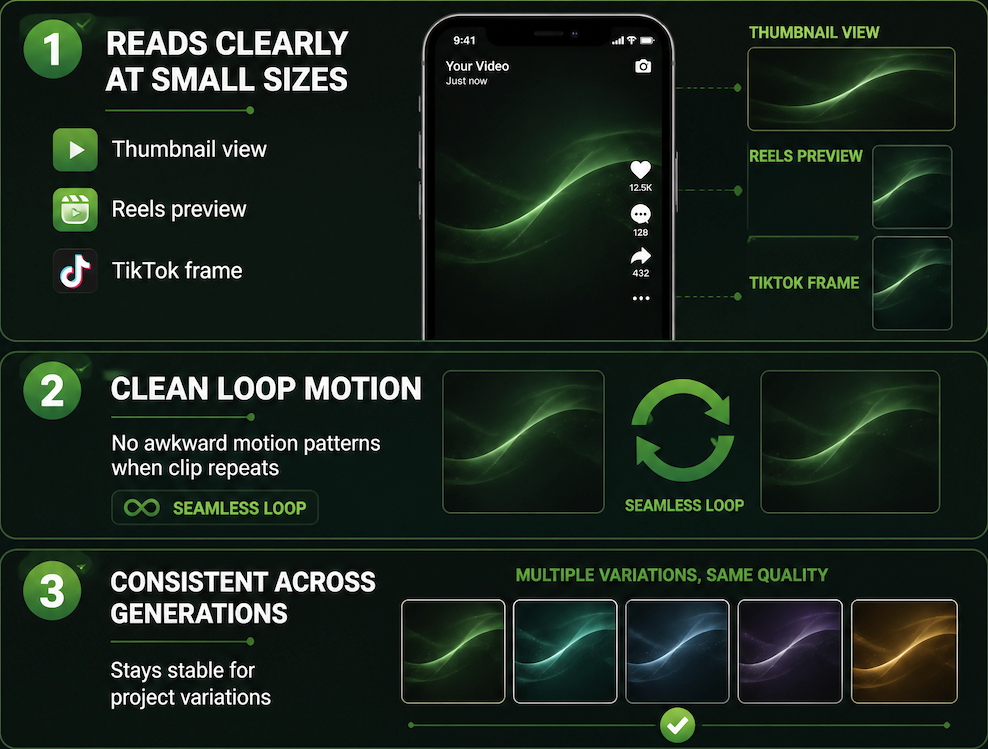
A background that holds up in real use does three things. It reads clearly at small sizes — thumbnail, Reels preview, TikTok frame. It doesn't have motion patterns that loop awkwardly when the clip repeats. And it stays consistent across multiple generations if you need variations for the same project.
That last point is where most generated backgrounds fall apart. The first output looks right. The second drifts in color temperature or texture. By the third, you're in a different visual world. Consistency across runs — not just single-output quality — is what makes a background actually reusable.
If it can't hold up across three generations, it's not a production asset. It's a one-off.
AI Video Background Use Cases
Creator intros
Intro backgrounds carry the highest consistency pressure. You're building a visual signature — something that should feel like your content before a word is spoken. The generation needs to land in a specific color range, a specific texture register, and stay there.What tends to stabilize: abstract motion, gradient shifts, slow particle systems.
What breaks down quickly: anything with implied spatial depth or recognizable objects. The moment a prompt suggests a room, a skyline, or a specific surface, the model starts improvising on second and third runs.
For intros, keep inputs minimal. More constraint in the prompt means a smaller variance window across generations.

Product scenes
Product backgrounds work differently. You're not building a signature — you're building context. The layer behind your product needs to suggest a surface, an environment, a mood, without pulling the eye away from what's for sale.
The range that stays usable: soft gradients, studio-adjacent lighting suggestions, neutral material textures. What breaks down: anything that implies a specific location. "Marble countertop" starts stable and drifts into a completely different material by run four.
Starting with a static video background image before animating it gives you more control over the starting frame — locking in the color logic and spatial feel before motion is introduced. Vidu's text-to-image tool supports this two-step flow: generate the still first, then animate what already works. That step cuts variance on the final output considerably.
Social loops
A looping background video has one hard constraint: the first and last frames need to connect. If that seam shows, the loop breaks.
Short loops — three to five seconds — stabilize faster than longer ones. The model has less runway to drift. Moving background video that works as a loop tends to be directional — a slow horizontal gradient shift, a soft particle drift — rather than anything with changing shape or implied narrative motion. As practitioners of seamless loop animation note, the last frame should flow naturally into the first, with motion that doesn't suggest a clear beginning or end.
I wouldn't push past six seconds without checking the seam on every single generation. Not a technical limit — just where the seam problem becomes consistent in my experience.
Story backgrounds
Story format — vertical, full-bleed, fast scroll — is the most forgiving context for AI-generated backgrounds. The viewer is moving fast. Minor drift between versions doesn't register the way it does in a product scene.
Everything needs to read at 9:16. Backgrounds for social stories also need to account for UI coverage: platform safe zones on TikTok and Reels mean the bottom third and right edge are often covered by captions and engagement buttons. Generate at story ratio from the start. Don't crop from a landscape output — the composition assumptions don't transfer.
How to Generate a Background for Video
Start with a clean image
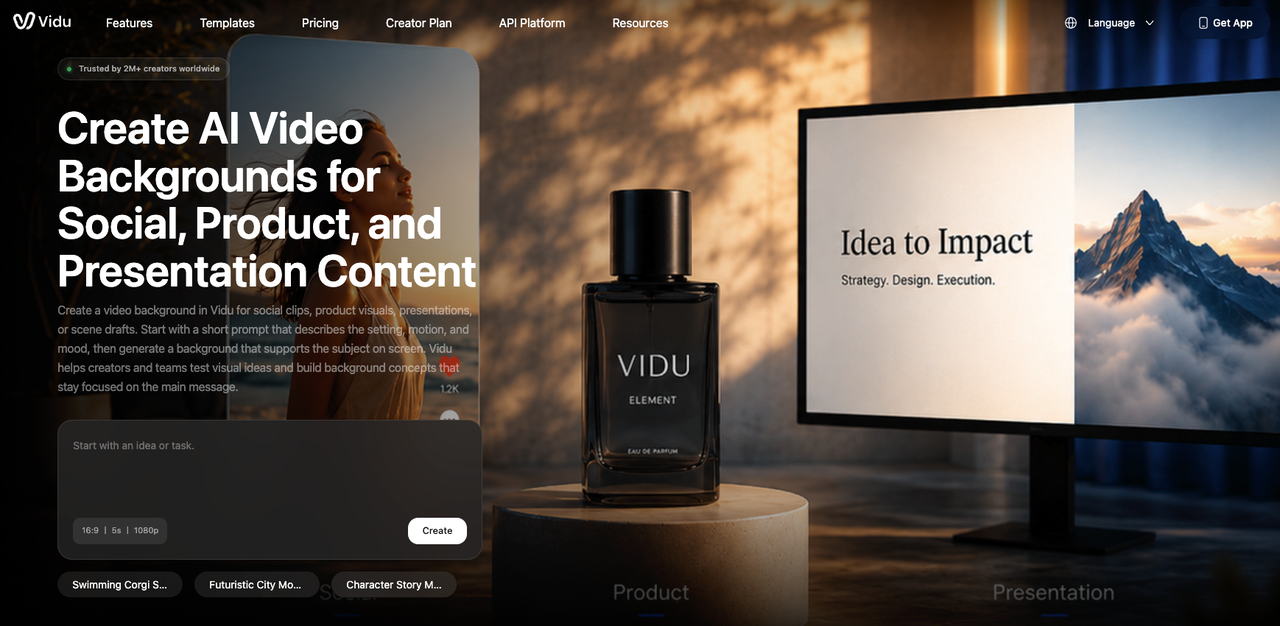
The most stable path to an animated output starts with a strong static frame. A video background generator works best when you generate the still first — locking in the color palette, texture, and spatial logic — before adding motion to something that already holds up.
When you start with motion generation directly, you're solving two problems at once. Motion introduces temporal inconsistency on top of whatever spatial variance already exists. Separating the steps reduces the failure surface.
Keep prompts sparse. Three to five descriptors, no contradictions, no implied narrative.
Add subtle motion
Subtle motion holds longer. A slow zoom, a soft parallax shift, a directional light change — these can run for three to five seconds without the seam showing and without pulling attention from whatever's in the foreground.
Heavy motion — camera moves that imply travel, objects entering frame, anything with cause-and-effect logic — breaks down in the background position. It competes. It also makes loop points harder to land.
The question isn't whether motion looks interesting in isolation. It's whether it still reads as background when a subject is in the foreground. Motion design's principle of figure-ground separation is relevant here: background elements should reinforce hierarchy, not compete for attention.
Match platform format
Different platforms have different visibility windows. On TikTok and Reels, the bottom third gets covered by text overlays and UI. On YouTube Shorts, the sides get cropped. Generate at native ratio for the platform. Design the visual weight for the visible area, not the full frame.
If you're building for multiple platforms from one asset, generate separately — don't try to crop and adapt. The composition logic built into a landscape output doesn't translate to vertical.
What to Avoid
A few patterns that consistently don't work:
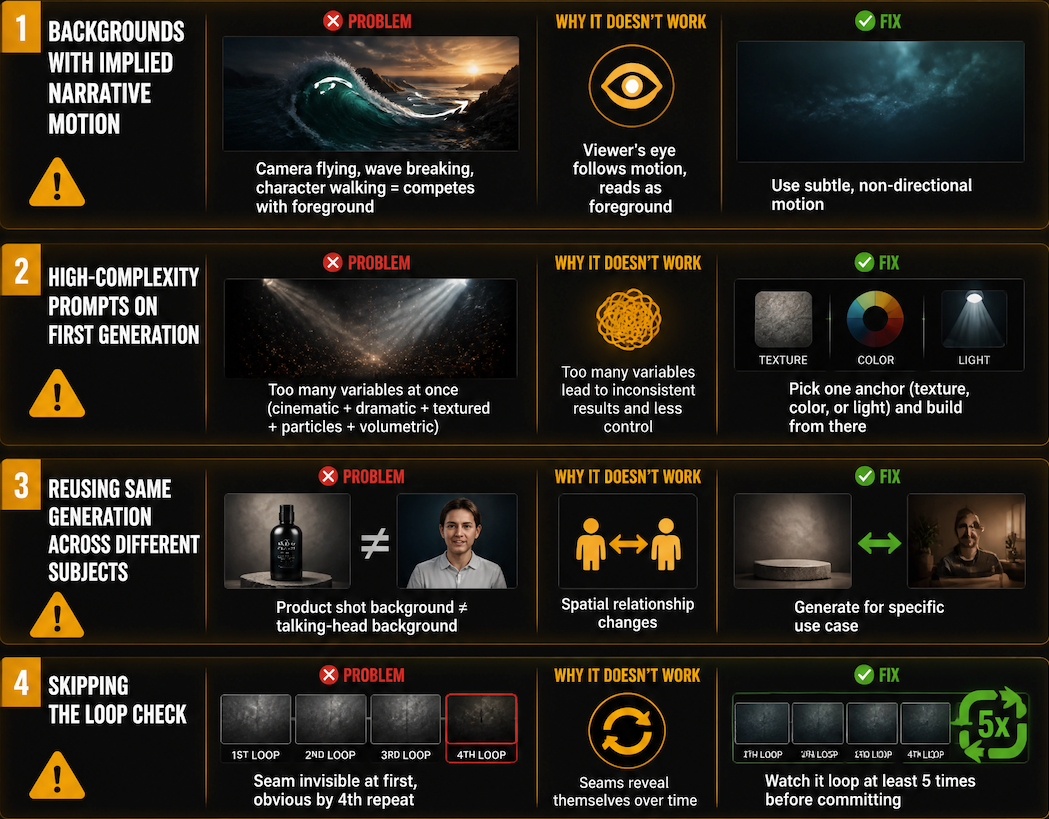
Backgrounds with implied narrative motion. If it looks like it's going somewhere — a camera flying through a landscape, a wave breaking, a character walking — it competes. The viewer's eye follows motion. A background that moves with intention reads as foreground.
High-complexity prompts on the first generation. "A cinematic, dramatic, richly textured dark studio environment with subtle particle effects and volumetric lighting" is too many variables at once. Pick one anchor — texture, or color, or light — and build from there.
Reusing the same generation across very different subjects. Something that works behind a product shot often doesn't work behind a talking-head clip. The spatial relationship changes. Generate for the specific use case, not a hypothetical one.
Skipping the loop check. If it's meant to loop, watch it loop at least five times before committing. The seam is invisible at first and obvious by the fourth repeat.