What Is an AI Sound Generator?
The simplest definition: a model that takes a text description and outputs an audio file. Type "waves on the shore, seagulls, light wind" and get a 10-second audio clip — no library search, no licensing negotiation, no recording session.
That's the mechanical version. The more useful version for video work is: a sound generator AI that accepts timing-aware prompts, so you can specify not just what sounds to generate, but when each one should start and stop within a clip.
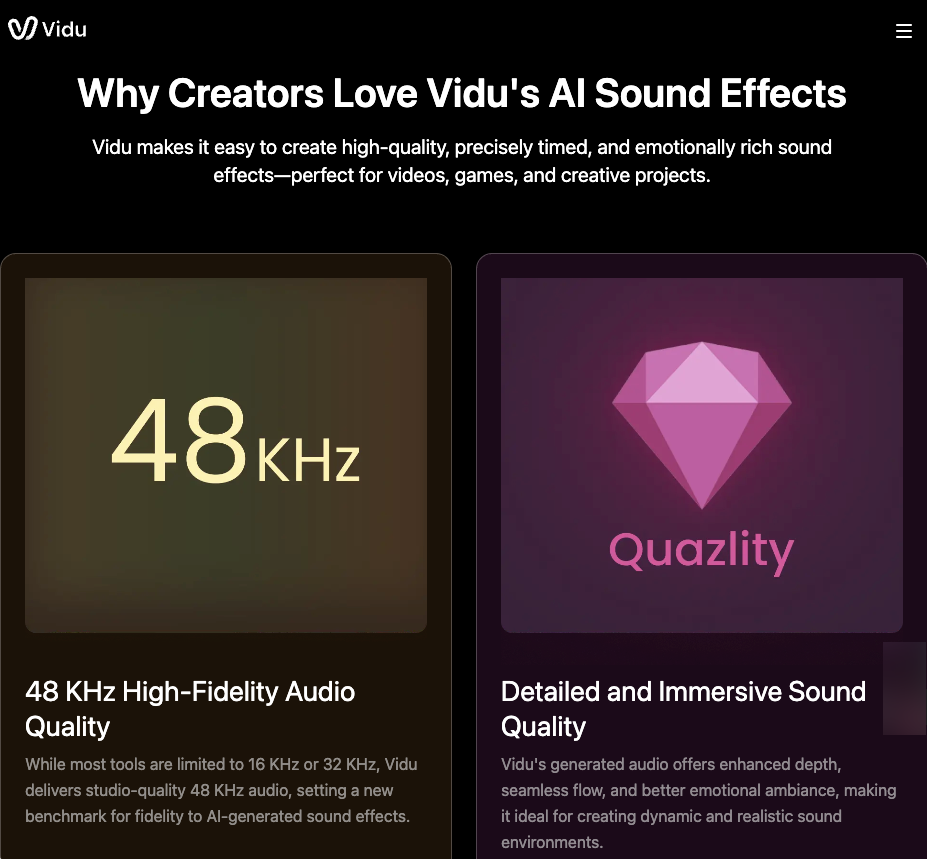
Vidu's AI Sound Effect Generator outputs at 48kHz — higher than most competing tools, which cap at 16kHz or 32kHz. That matters most when your generated video will be viewed with quality headphones or on a monitor with decent speakers. At 16kHz, the texture difference between "rain on glass" and "rain on leaves" collapses. At 48kHz, it holds. 48kHz is the established standard for professional video because it divides evenly into common frame rates and captures the full audible range without unnecessary overhead.
The timing control is worth paying attention to. A prompt like {roaring fire & <0.00,10.00>} layered with {trees falling & <1.00,4.00>} gives you a composite soundscape where elements enter and exit at specific seconds — not just a single ambient wash. For short video clips where every second is load-bearing, that precision changes how usable the output is.
AI Sound vs AI Sound Effects vs AI Music
These three terms get used interchangeably, but they produce different outputs — and they serve different functions in a video.
AI sound is the broadest category. It covers anything an AI generates in audio form: ambient texture, discrete events, musical phrases, atmospheric layers. The term is accurate but tells you almost nothing about what to expect.
The more specific and more video-useful category is the discrete sound event tied to an on-screen action or moment: a door closing, glass shattering, an object hitting a surface. These are the AI sounds that make a visual action land — without them, motion feels floated, disconnected from weight. StudioBinder's film sound effect techniques guide covers why this matters in narrative work, but the same principle applies to short creator clips: discrete SFX anchors the viewer to what they're watching.
AI music generation is different again. It outputs full musical phrases — harmonic structure, rhythm, melodic content. Useful as a bed, but harder to time-sync to specific moments within a 5–8 second clip. If the goal is "make this action feel real," discrete sound effects are the right category. If it's "make this video feel less empty," music can work.
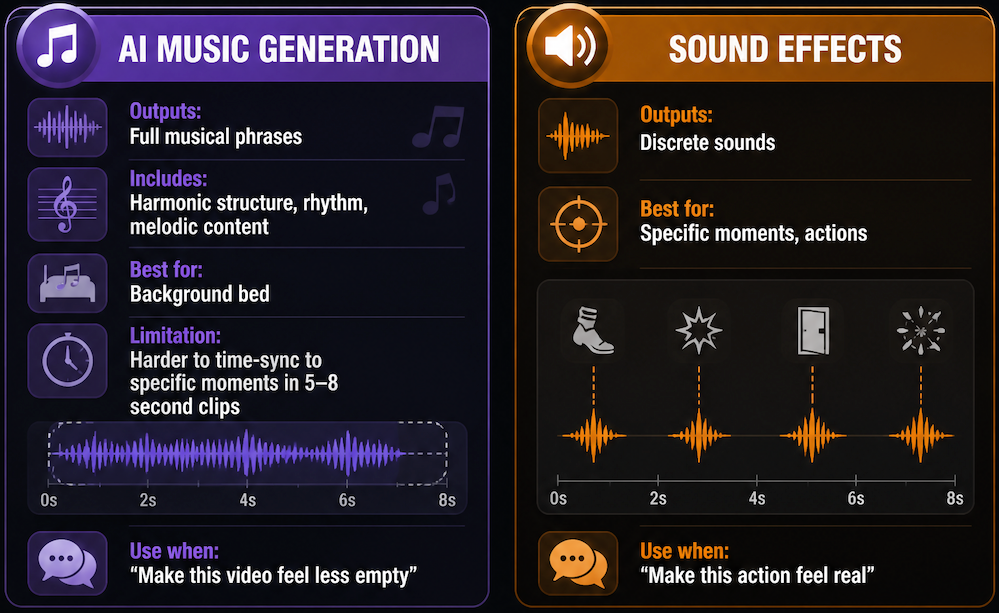
The distinction matters most when prompting. A music-style prompt sent into a sound effects generator produces something in between — ambient texture with tonal content — that rarely works fully as either.
Best Uses for Video Creators
Ambience, Transitions, and Product or Action Sounds
For short AI-generated videos, the three uses that produce reliably usable output are:
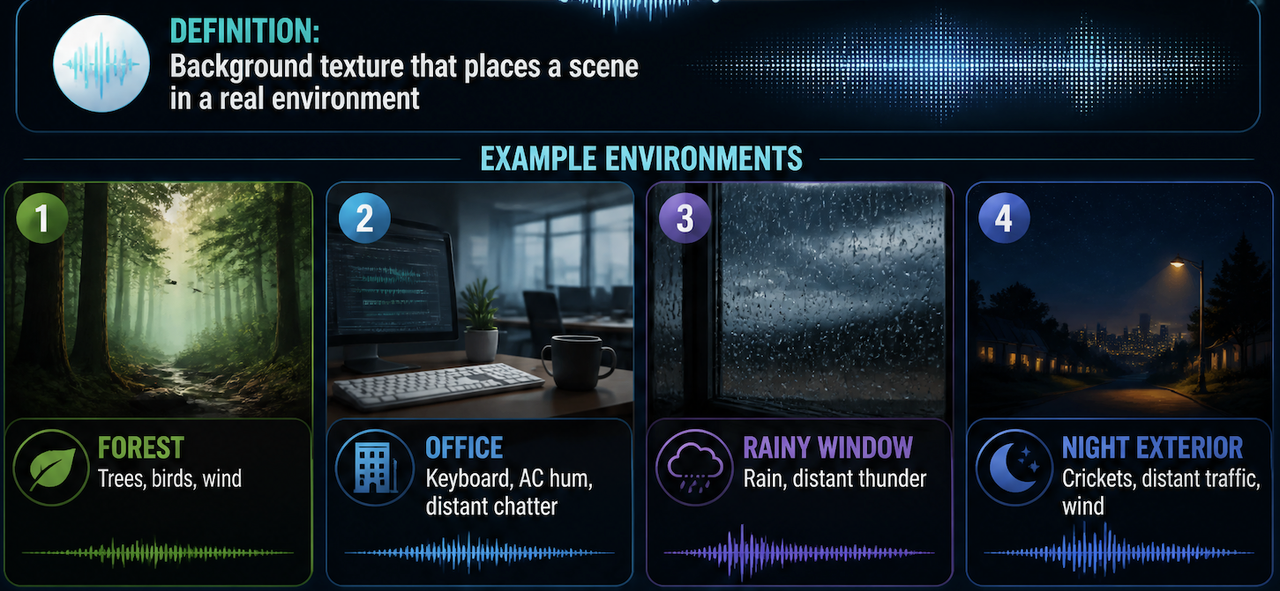
Ambience — Background texture that places a scene in a real environment. Forest. Office. Rainy window. Night exterior. These prompts tend to be stable: the model has a lot to work with, no specific event timing is required, and small variations between generations don't break the clip. Start here if you're new to sound generation — low stakes, high return.
Transitions — A short tonal event (a whoosh, a soft impact, an audio dissolve) that marks a cut or state change. These are the most time-sensitive sounds in short video — they need to land within a fraction of a second of the visual transition. Specify the exact second range, and test two or three generations to check whether the event actually arrives when expected.
Product and action sounds — The thing on screen doing something. A product rotating. A character landing. An object being picked up. These are closest to traditional Foley work: matching audio texture to visual motion. They're also the most failure-prone — the model sometimes produces a sound in the right category but wrong in texture or timing. Expect to generate three or four versions before one lands.
Vidu's character to video output, for example, pairs well with discrete action sounds when the visual motion has clear physical weight — but if the character movement is floating or ambiguous, the sound will feel unanchored regardless of how accurate the prompt is.
How to Prompt AI Sounds for Video
Describe Source, Mood, and Timing
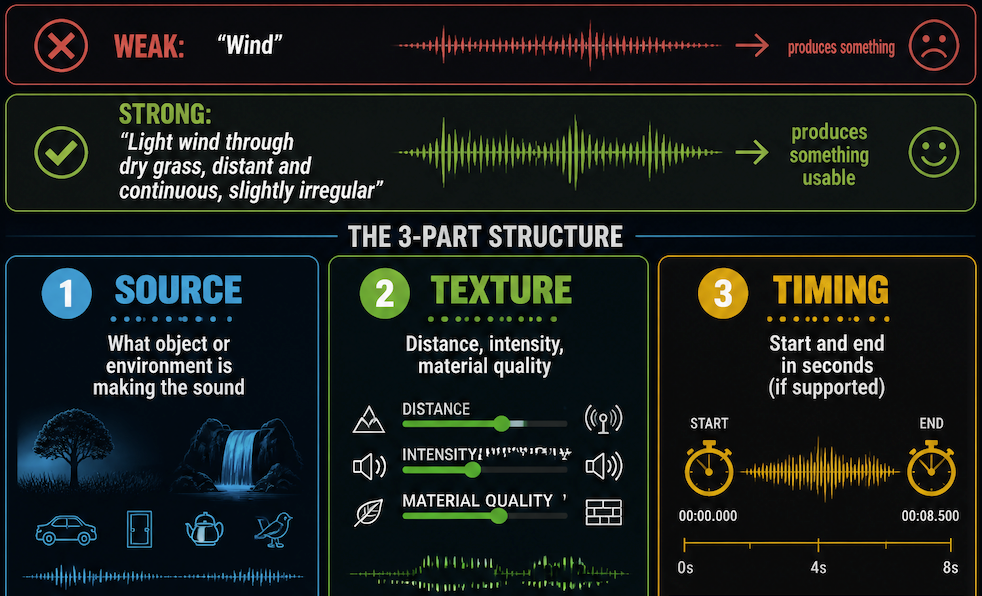
The most common failure is describing only what the sound is, not where it's coming from or what it's doing. "Wind" produces something. "Light wind through dry grass, distant and continuous, slightly irregular" produces something usable.
The structure that works most consistently:
- Source — What object or environment is making the sound
- Texture — Distance, intensity, material quality
- Timing — Start and end in seconds if the generator supports it
"Knife on cutting board, sharp, quick, two impacts" reads better to the model than "chopping." The specificity isn't about complexity — it's about reducing the model's guessing space.
For layered clips, keep each element simple. One to three descriptors per sound layer. Prompts with five or six attributes per layer produce audio that's technically complex but acoustically muddy — elements compete for frequency space without any mixing logic to separate them.
Match Sound to Visual Motion
A generated sound that's accurate in isolation can still feel wrong in context if it doesn't match the visual's pacing. Frame.io's audio mixing fundamentals covers this in traditional editing terms — the same logic applies: transients in audio need to align with visual transients (the cut, the object landing, the moment of impact).
Drop the generated sound under the visual before judging. Listening in isolation tells you whether it's technically clean. Only watching it against the video tells you whether it's usable.
Two or three generations of the same prompt often produce different timing microvariations. Keep the one where the audio transient lands closest to the visual event.
Verify Rights Before Publishing
This is the step most workflow guides leave out.
Vidu's terms of use state that commercial use is not restricted, and the sound generator FAQ confirms generated effects are royalty-free and usable in commercial projects. That's the platform's position.
The gap: what platform you're publishing to and what that platform's policies require. YouTube, TikTok, and Instagram each have independent content ID systems. A file being royalty-free from the source doesn't automatically clear it from a platform's detection if the model's training included recognizable samples.
The practical check: run the generated audio through your publishing platform's rights verification tool before uploading commercially. If it comes back clean, publish. If it flags, regenerate with a different prompt.
This isn't unique to AI audio — it's the same diligence that applies to any stock library track. The difference is that traditional library tracks come with licensing documentation you can reference in a dispute. AI-generated output currently doesn't, which is why understanding AI platform commercial rights at the publishing destination matters more than the source license alone.