
What Is a Text to Video Model?
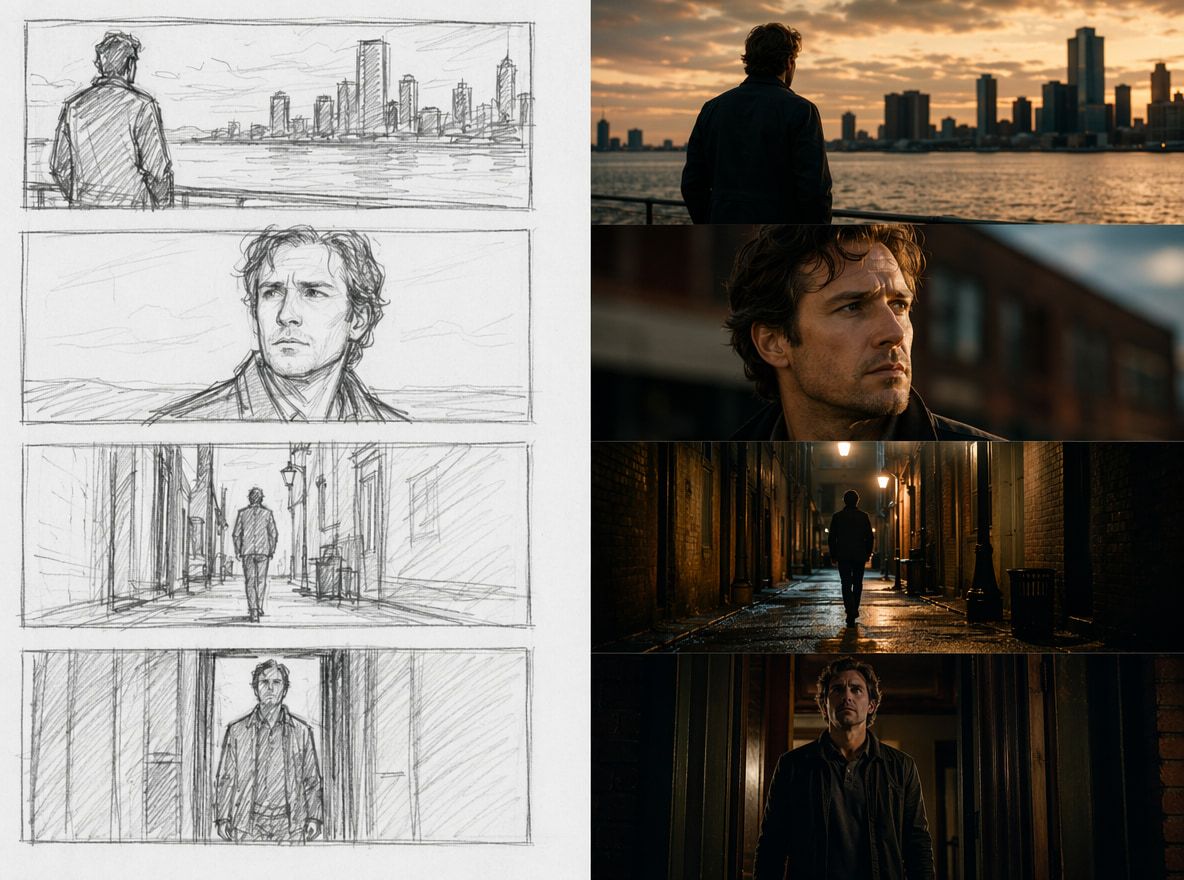
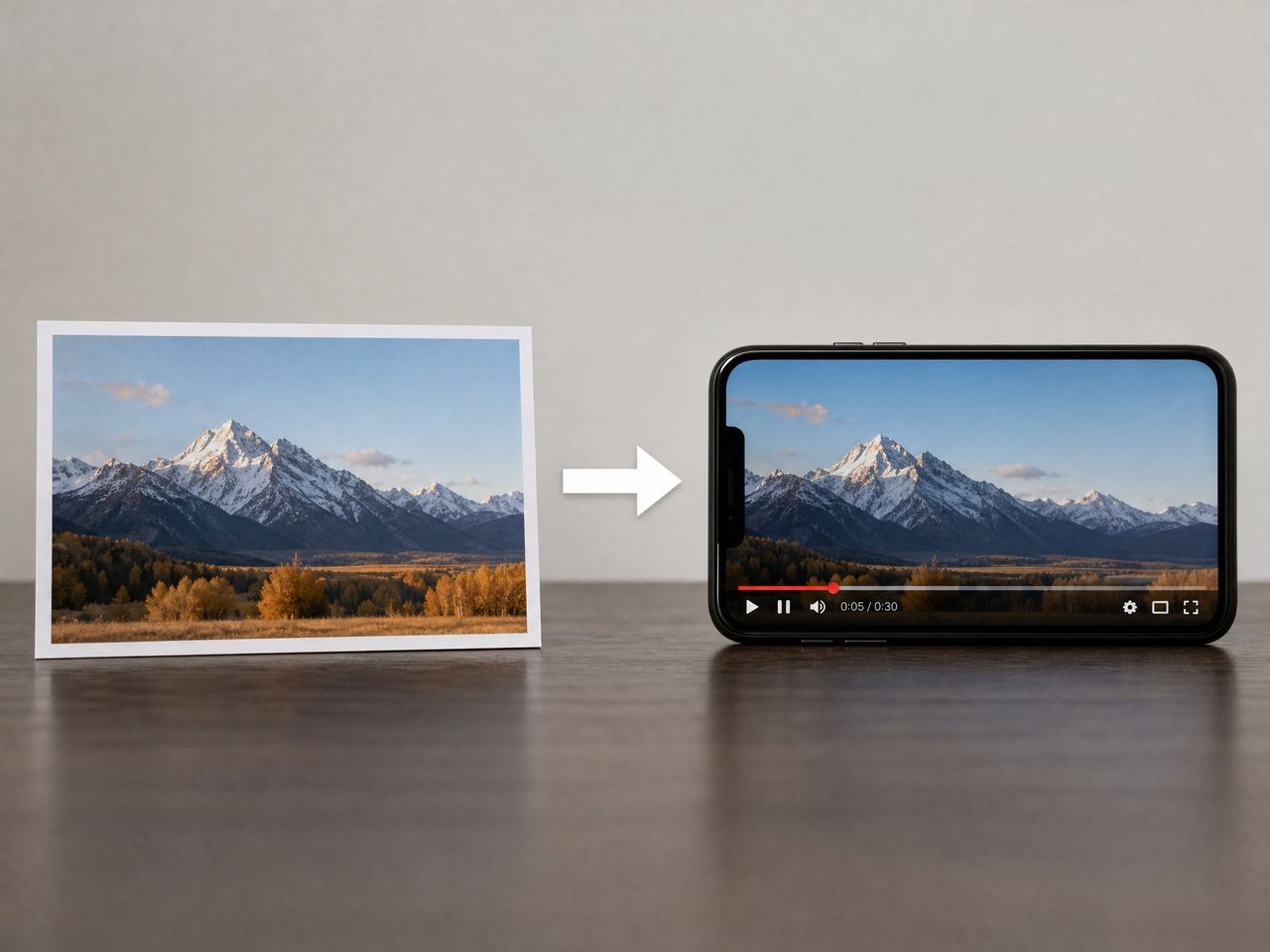
A text to video model takes a written prompt and produces a video clip — not a slideshow of images, but a sequence with motion, pacing, and scene logic.
What separates it from an image generator is that it has to reason about time. Where does the subject move? What stays consistent frame to frame? These are questions a still-image system never has to answer.
Most current systems combine latent diffusion with transformer-based temporal attention, trained on large-scale video datasets so the model learns which descriptions map to which motion patterns. A 2026 systematic review published in Applied Sciences confirms diffusion models as current state of the art while identifying temporal coherence and multi-scene consistency as open problems across the field.
What matters for creators: the model isn't imagining your prompt the way a director would. It's matching your words to learned statistical patterns — and that distinction matters when you're trying to control results.
How Text Prompts Become Video
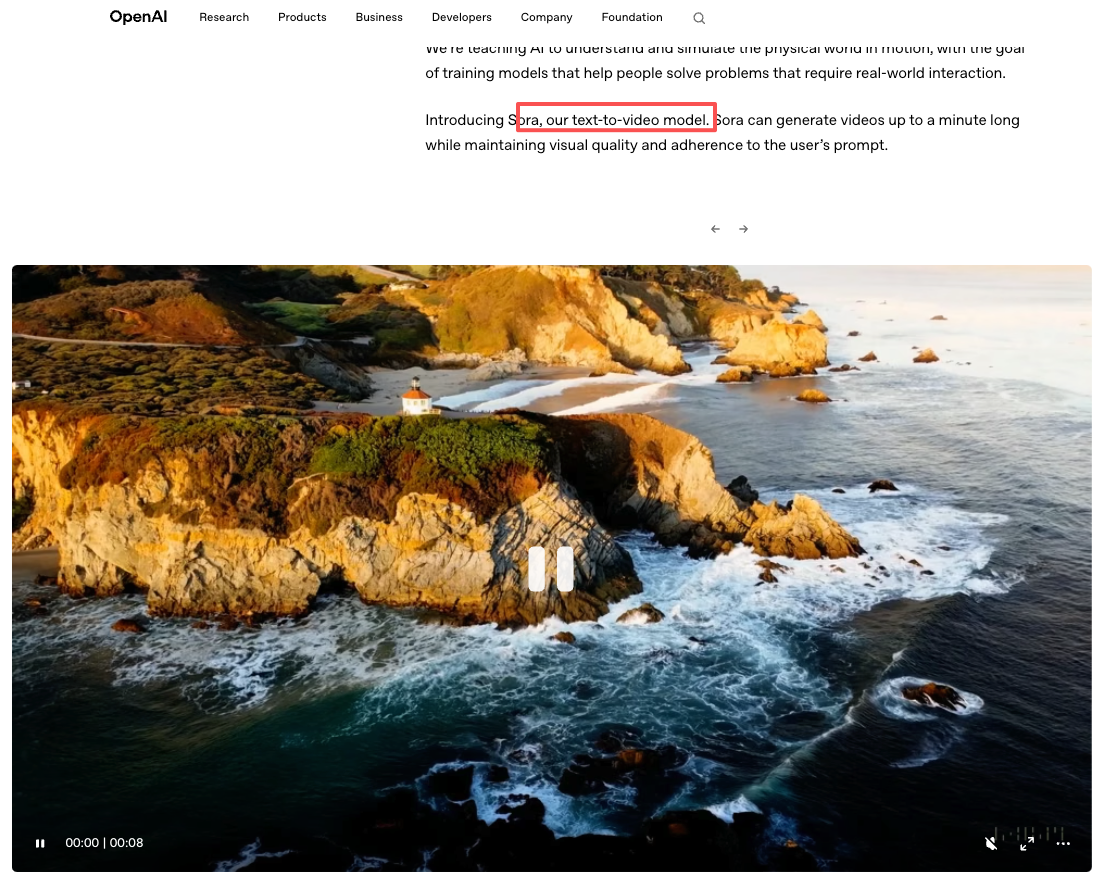
This is the part most tutorials skip, because it's easier to just say "write a good prompt" and move on. But understanding the basic pipeline — even loosely — changes how you write inputs.
Scene Understanding
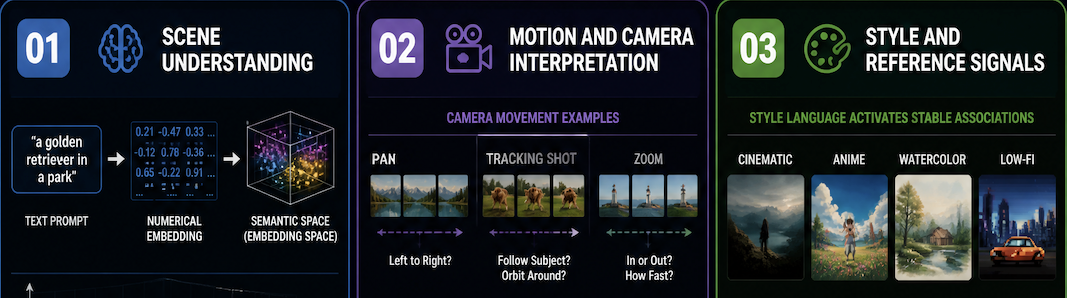
Your prompt gets converted into numerical embeddings where related concepts cluster together. "Foggy" and "hazy" land near each other; "a golden retriever in a park" activates a cluster of associated visuals. The model works as an AI scene generator, assembling a plausible composition from pattern-matched parts — not executing a precise creative vision.
If your output blends two environments, you've likely triggered two overlapping concept clusters. Simplify the description.
Motion and Camera Interpretation
This is where instability lives. "The camera pans slowly" — from where to where? How slowly? The model infers from training data, not from your intent.
TC-Bench, a 2024 benchmark from UC Santa Barbara and the University of Waterloo, tested nine leading video generation models and found most completed less than 20% of the compositional transitions their prompts described — the models could render individual elements, but struggled to synthesize motion and change across time.
Camera terms — "tracking shot," "static wide angle," "slow zoom" — help narrow the interpretation space. Treat them as directional nudges, not instructions.
Style and Reference Signals
Style language is the most reliable lever. "Cinematic," "anime," "watercolor" activate stable associations across generations. Style shifts work. Subject behavior doesn't, not reliably — and that's the gap that reference images exist to close.
What Creators Should Actually Care About
Consistency
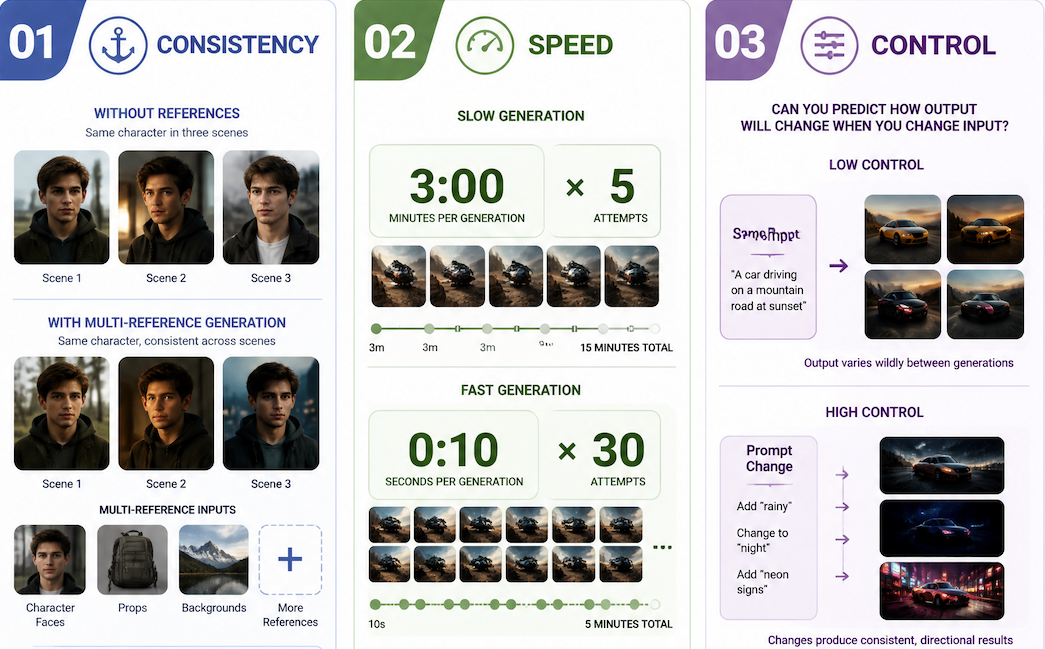
Without visual anchors, the "same character" across multiple clips ends up looking like three people with similar haircuts. Pure text to video AI can't solve this: your description generates a new interpretation every time.
VBench, a CVPR 2024 benchmark evaluating models across 16 dimensions — subject consistency, background consistency, temporal flickering, and more — shows that most models score well on short static scenes but degrade as subjects move or scenes change.
Reference-based generation addresses this directly. Upload images of your character, prop, or environment, and the model uses them as visual constraints rather than guessing from text. Vidu's Multi-Reference Consistency feature accepts up to seven reference images and keeps each element stable across separate generations — a practical response to what VBench's subject-consistency dimension measures.
Speed
Fast generation changes how you iterate. Three-minute renders mean five attempts per session; ten-second renders mean thirty. Iteration speed is often what separates "found something usable" from "gave up."
Control
Does changing your input change the output predictably? Most prompt to video AI systems are reliable for style and composition shifts, unpredictable for fine motion details — consistent with TC-Bench's finding that divergence from prompt intent increases with complexity. Work with the reliable levers. Evaluate actual output, not expected output.
Limits of Text-Only Generation
Subject identity. Text generates a plausible interpretation, not a specific person. Every generation produces a new face unless anchored by a visual reference — a structural limitation, not a quality problem.
Long-form coherence. Drift accumulates over time: lighting inconsistencies, subject shifts, scene logic breakdown. VBench measures this directly via its temporal flickering and background consistency dimensions. The practical fix is to generate shorter clips and assemble them — treat the model as a shot generator for a script to video AI workflow, not a single-take renderer.
Complex interaction. Multi-character scenes, lip sync, crowds — still high-failure-rate territory. TC-Bench identifies synthesizing multiple components across time steps as the weakest point in current models. Factor in curation time for any workflow that depends on character interaction.
FAQ
Is a Text to Video Model the Same as an AI Video Generator?
Almost. "AI video generator" covers tools that also accept images, audio, or motion references. A text to video model specifically uses a written prompt as primary input. Most platforms now combine both, which blurs the distinction in practice.
Why Do Prompts Sometimes Produce Unstable Results?
Your subject-action-style combination may be underrepresented in training data. Long prompts also create competing signals — the model averages them into a muddled result. TC-Bench specifically identifies prompt understanding as a weak point: models parse individual terms but struggle to synthesize them into coherent motion sequences. Shorter, cleaner prompts produce more stable outputs.
Do References Improve Text to Video Outputs?
Yes — specifically for subject appearance. References anchor what your character looks like; without them, the model guesses freshly each generation. The improvement is less dramatic for motion or camera behavior, which still depends mostly on text.
Which Text Details Help Video Quality?
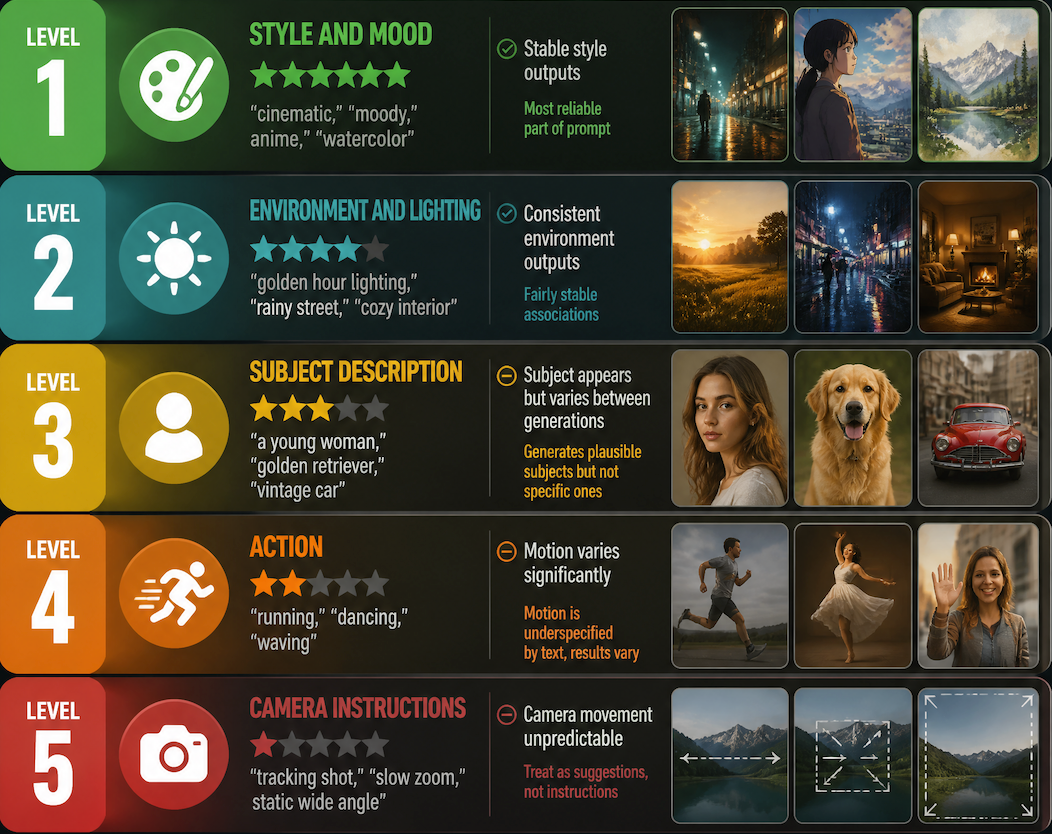
In rough order of reliability: style and mood → environment and lighting → subject description → action → camera instructions. When results feel unstable, remove details rather than add them. Simpler prompts stabilize output faster than elaborate ones.