Why Camera Angles Matter in AI Video
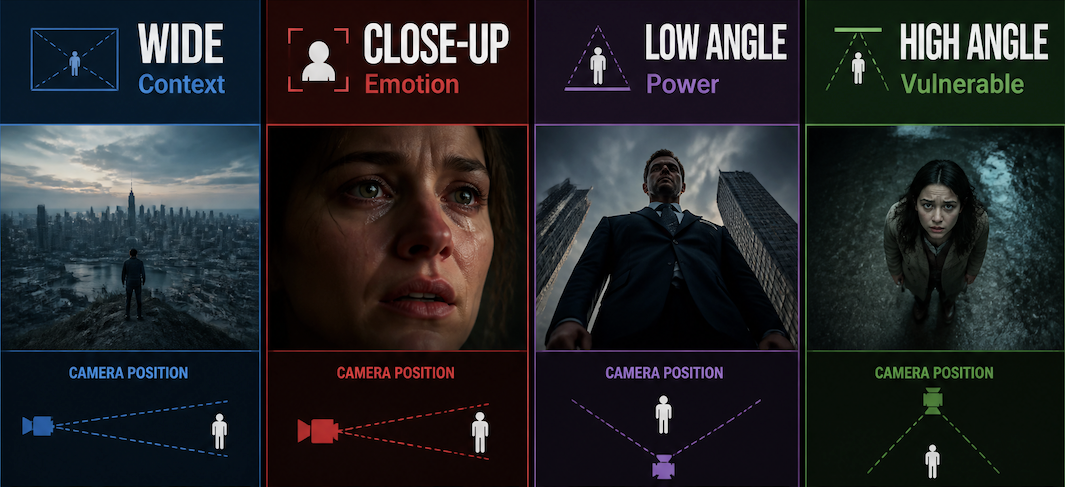
Shot composition is not decoration. Filmmakers have spent a century developing a visual language where specific angles carry specific meaning — and AI video models have been trained on enough of that language to respond to it in prompts.
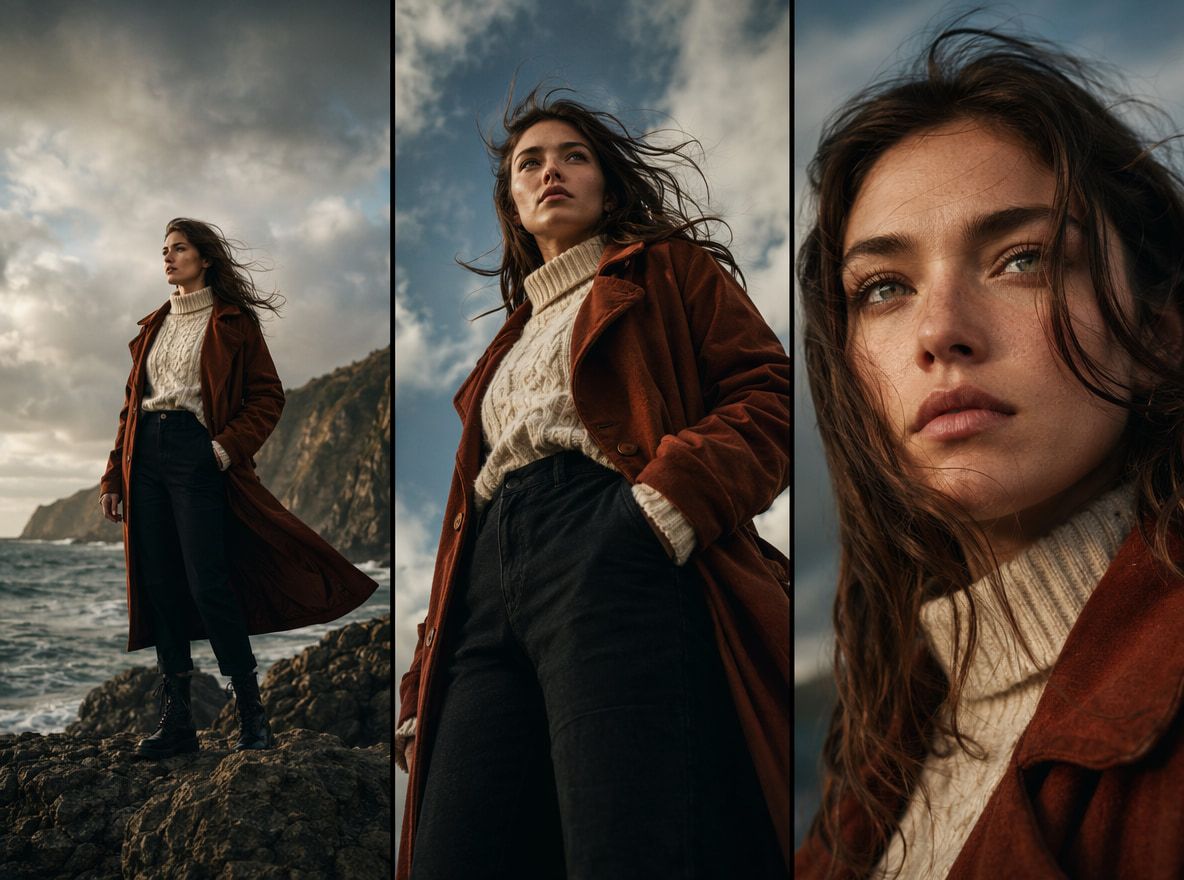
A wide shot establishes context. A close-up signals emotion. A low angle makes a subject feel powerful; a high angle makes them feel exposed. These aren't opinions — they're patterns baked into how audiences read film camera angles, and by extension, how AI models interpret scene descriptions.
The practical payoff: when you add a camera composition call to your prompt, you give the model a spatial target. "A character in a hallway" and "a wide shot of a character at the end of a hallway" are different problems to solve. The second one tends to produce a more usable first draft.
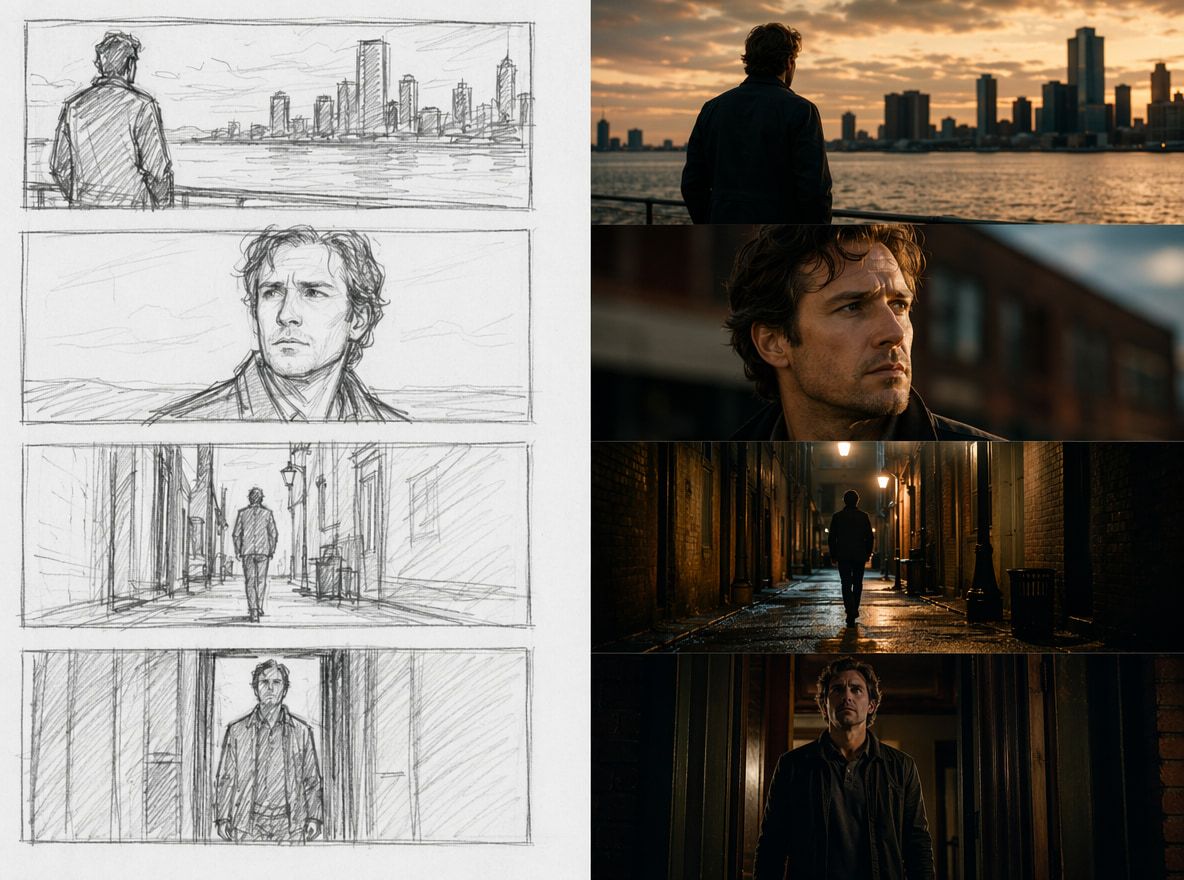
I ran the same doorway scene four times — no angle, "wide shot," "close-up on hands pushing door," "low angle looking up as door opens." The first two were interchangeable. The third started pulling focus toward the hands and held it. The fourth produced one generation where the angle actually read on screen — but that one I kept.
Divergence starts appearing at the third input variation. That's not a complaint. That's just what testing looks like.
Essential Camera Angles for Creators
You don't need all of them. You need the four that cover 90% of short-form and cinematic video scenarios, even though a full camera shot taxonomy includes dozens of framing variations.
Wide Shot
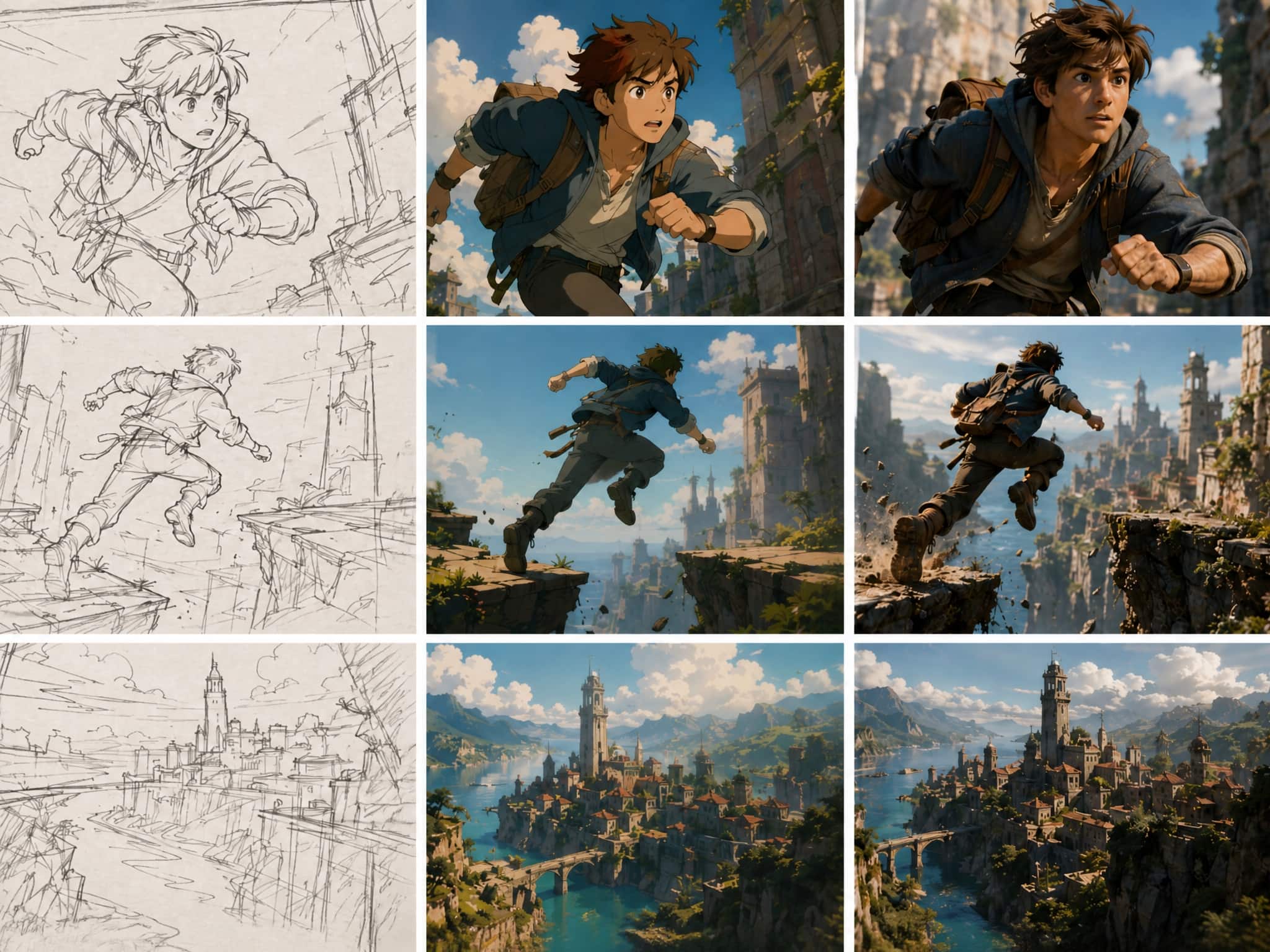
The establishing shot. Shows the subject and its environment together — useful when the viewer needs to understand where they are before anything happens. In AI prompts, wide shots give the model more spatial freedom, which means more variable results. The clip either nails the scale or drifts into something generically environmental.
When it works: scene openings, location reveals, montage transitions. When it doesn't: emotional moments, anything where the face matters.
Prompt language that tends to hold: "wide establishing shot," "long shot of [subject] in [environment]," "full-body framing."
Close-Up
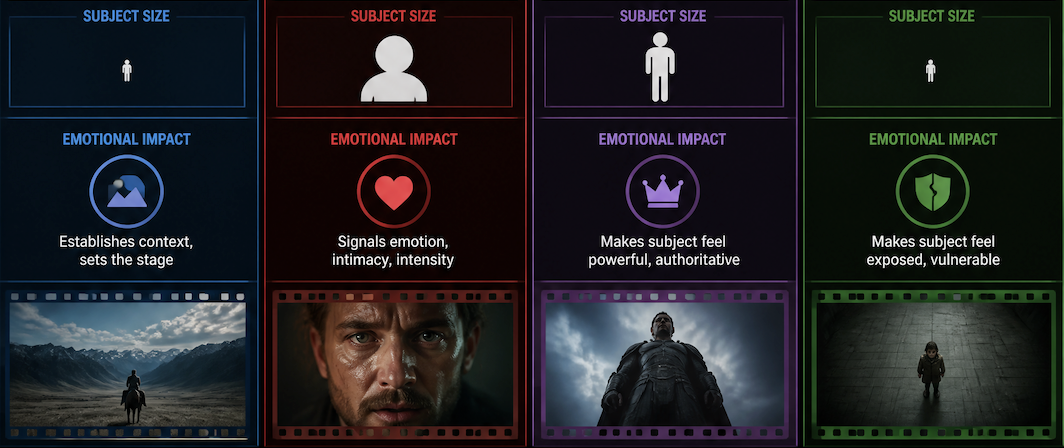
Frame fills with a face, hands, an object. The model stops needing to render context and focuses on one thing. In my tests, close-ups produce the most consistent outputs — fewer variables, tighter spatial constraints, less room for the model to improvise.
The face generation gap is real though. Close-ups on characters still drift between runs — the angle holds, but micro-expressions don't always lock. On the third or fourth generation with a character reference image, stability improves noticeably.
Prompt language: "extreme close-up on [subject]," "tight shot of hands," "close-up face, eyes in frame."
Low Angle and High Angle
Two angles that do the most work with the least prompt complexity.
Low angle: camera below eyeline, looking up. The psychological effect is reliable — subjects appear larger, more dominant, following well-established low-angle cinematography principles. In AI video, it also tends to produce more dramatic sky or ceiling backgrounds, which fills the frame in a way that reads as cinematic rather than static.
High angle: camera above, looking down. Subjects shrink. In short-form video, high angles work well for product reveals and moments of vulnerability. "Bird's eye view" and "overhead shot" produce more distinctive outputs than vague "looking down."
Both are worth testing because they're underused in AI prompts. Most creators default to eye-level without thinking about it. Low and high angles are where visual storytelling starts to feel like a choice.
Over-the-Shoulder
For two-character or dialogue-adjacent scenes. The camera sits behind one subject's shoulder, framing the second subject in medium or close range. Over-the-shoulder framing keeps both characters spatially present without a split frame — the viewer stays anchored in a relationship rather than watching two isolated subjects.
In AI video, over-the-shoulder prompts work inconsistently. The shoulder anchor sometimes vanishes between runs and drifts toward a standard medium shot. When it holds, it's one of the more cinematic-feeling outputs you can get from a simple scene.
Prompt language: "over-the-shoulder shot facing [subject]," "camera behind [subject A], [subject B] in foreground."
How to Add Camera Angles to AI Prompts
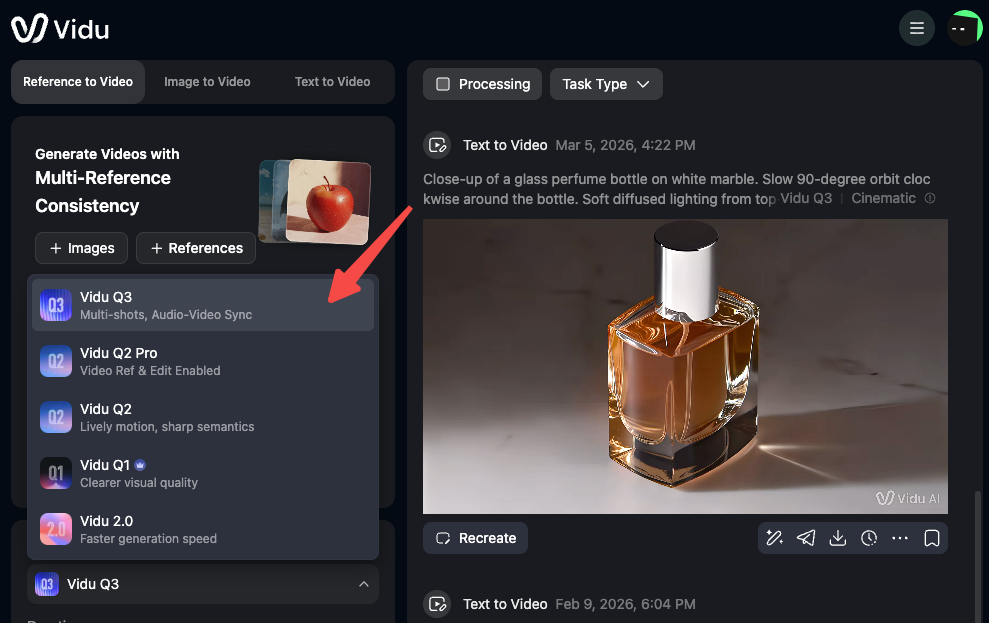
The structure that produces the most stable outputs: [angle] + [subject] + [action or state] + [environment or mood].
"Close-up on hands gripping the edge of a table, dimly lit kitchen" outperforms "a person nervous in a kitchen" every time — not because one is more creative, but because one gives the model a spatial anchor.
A few patterns from repeated tests:
- Lead with the angle. Putting the shot call first weights it more than burying it mid-sentence.
- Name it explicitly. "Low angle" holds better than "from below." "Wide shot" holds better than "zoomed out."
- Add camera movement as a separate modifier at the end. "Slow push-in" appended after the scene description tends to reduce random drift more than embedding it inside.
- Match angle to emotional intent for cinematic video. A close-up on a tense face generates different background motion and character micro-behavior than a wide shot of the same face. The angle isn't just framing; it's directing.
Vidu's cinematic video generator notes that "clear visual direction usually makes the first draft feel less random" — camera angle specification is the most direct form of that direction.
Common Mistakes in Shot Direction
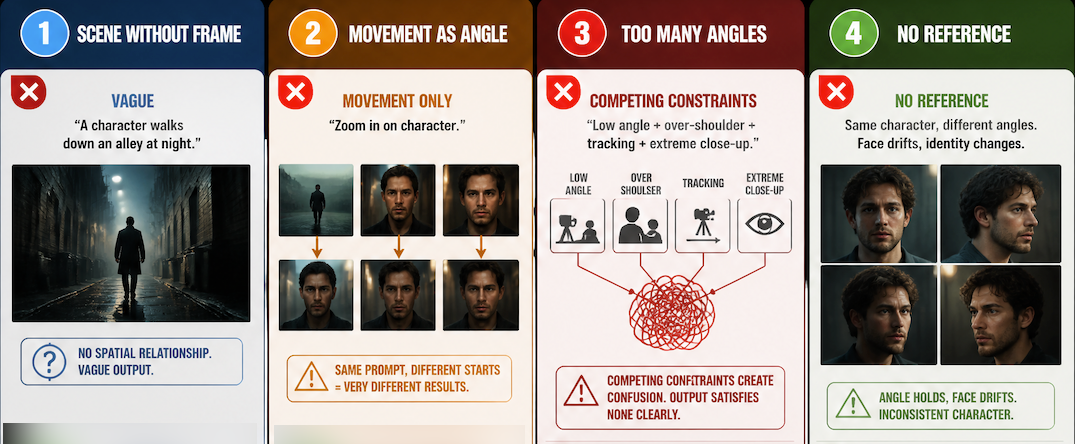
Describing the scene without describing the frame. "A character walks down an alley at night" gives the model a scene. "Low-angle shot: character walks toward camera down a narrow alley at night" gives the model a scene and a spatial relationship. The constraint is the useful part.
Using movement language as a substitute for angle. "Zoom in on the character" is camera movement, not shot angle. A zoom from a wide shot and a zoom from a medium shot produce very different clips. Specify both.
Stacking too many angle references at once. "Low angle, over-the-shoulder, tracking shot, extreme close-up" — competing spatial constraints produce outputs that satisfy none of them clearly. One angle per clip.
Expecting consistency without a reference anchor. Shot angles prompt reliably. Character appearance across shot angles does not — not without reference images. The angle holds; the face drifts. That's a generation constraint, not a prompt problem. Using reference images is the practical fix.