What Is Video to Video AI?
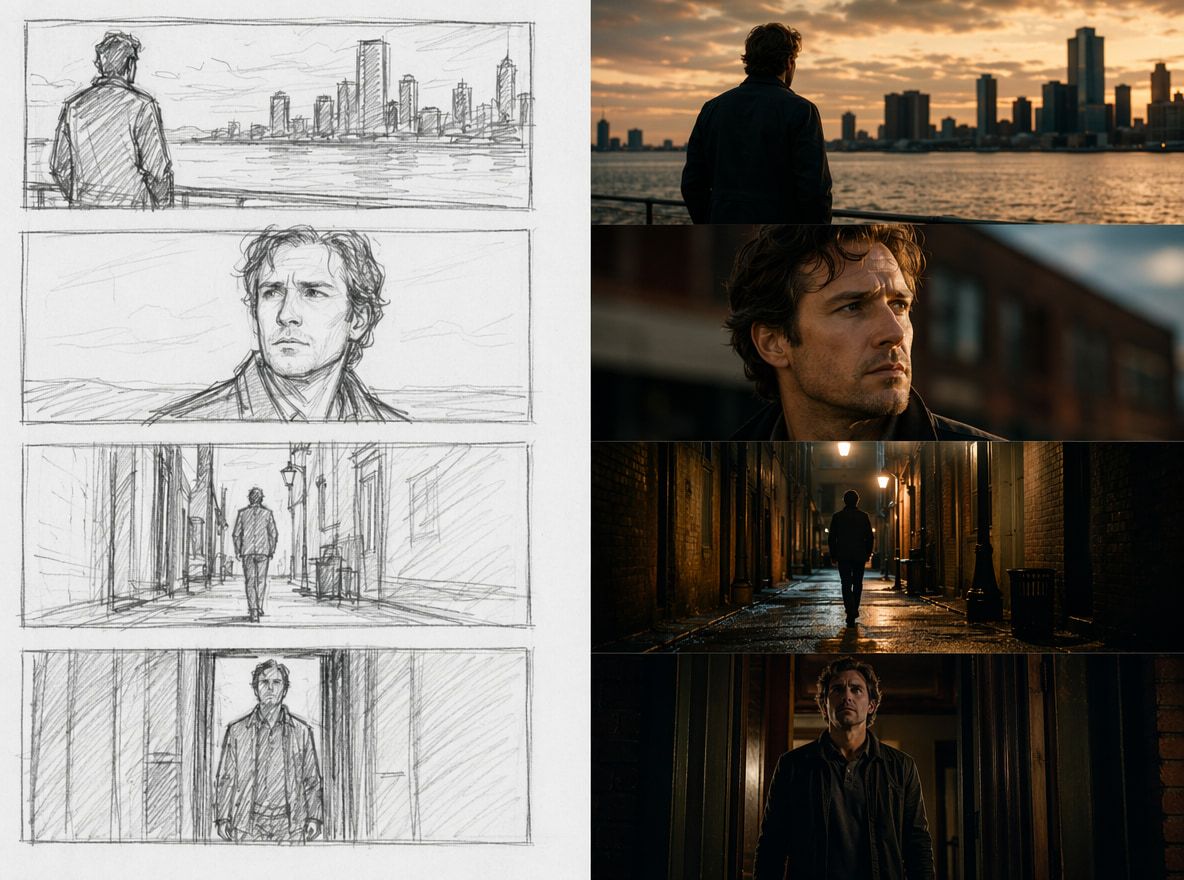
Video to video AI takes an existing clip as the primary input. The model reads the motion, timing, and structure of that source, then produces a new output that changes the visual style while preserving the underlying movement.
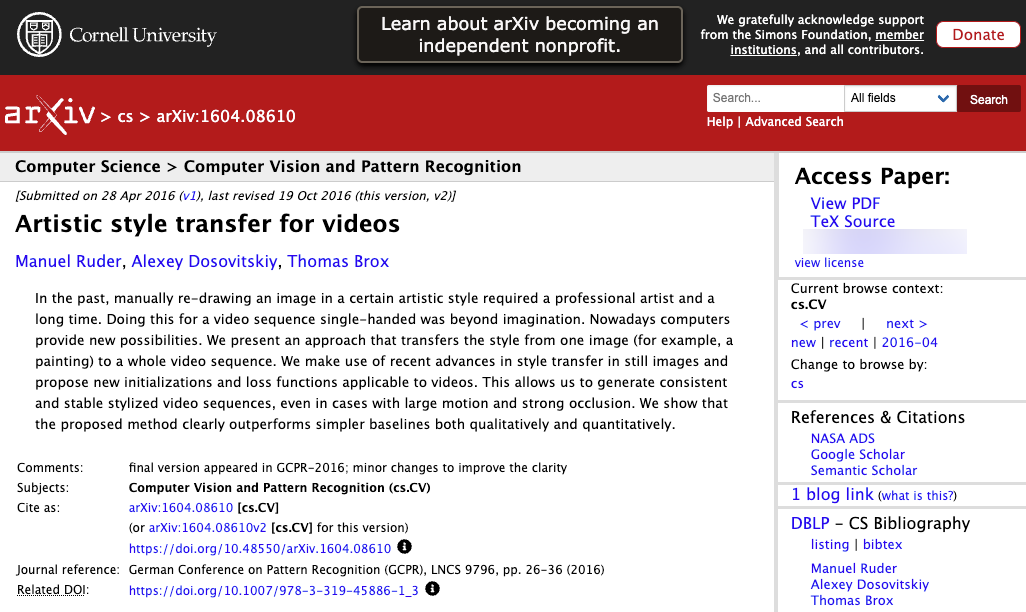
The technical foundation is video synthesis — separating content (what's happening) from style (how it looks), then applying a new visual layer to the original motion data. Modern diffusion-based models handle this at the clip level rather than frame by frame, which matters for temporal stability. Earlier approaches produced obvious flickering; current models attempt to reason across the whole clip at once.
This is different from image-to-video, where a still is animated forward in time. In video to video, the motion already exists. The question is whether the model can restyle it without breaking what made the source clip usable.
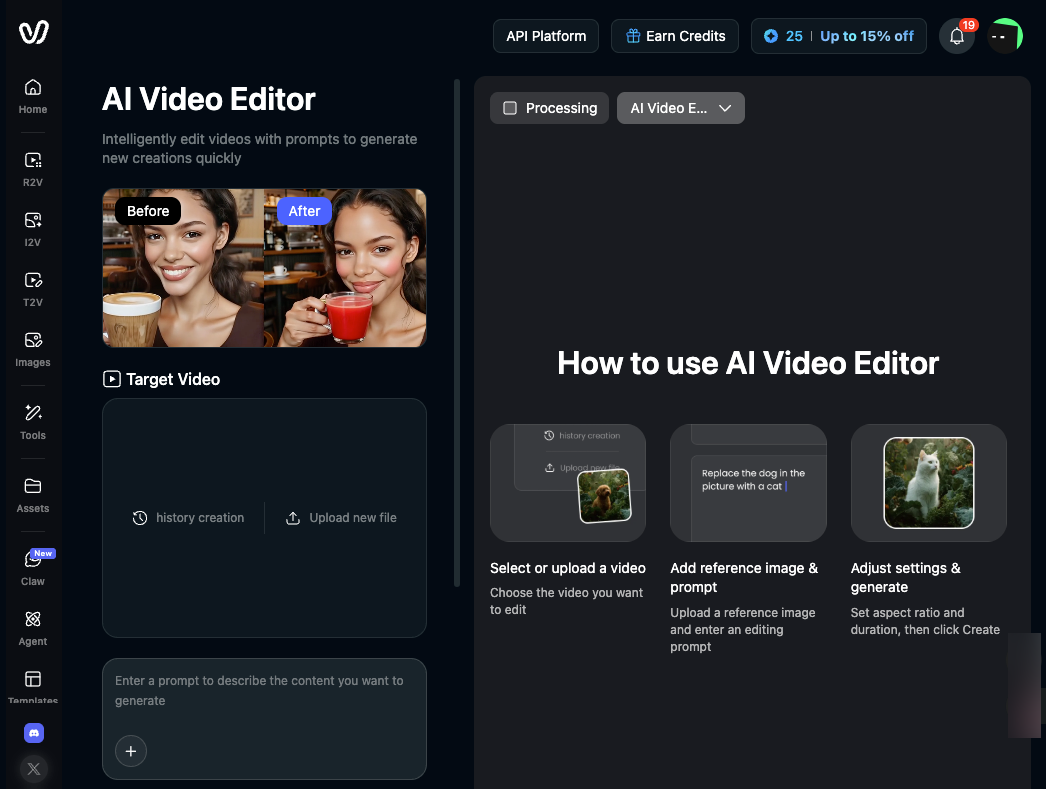
Platforms like Vidu support this workflow via their video editing tools, alongside image-to-video and reference-to-video modes.
When Creators Use Video to Video
Test setup (applies to all three sections below): Each clip was submitted four times under identical prompt conditions. Outputs were scored on two criteria only: visible edge artifacts (yes/no, rated at the frame level) and identity drift in the second half of the clip (none / minor / significant). "Usable" means the output could enter an edit without a repair pass.
Clip type | Source duration | Usable outputs / 4 runs | Primary failure |
|---|---|---|---|
Style transfer (simple) | 4–5 s | 3月4日 | Edge artifacts on fast motion |
Live action animation (complex) | 6–7 s | 1月4日 | Identity drift, midpoint onward |
Motion reuse (short loop) | 3–4 s | 3–4/4 | Back-half drift on longer clips |
Restyling Footage
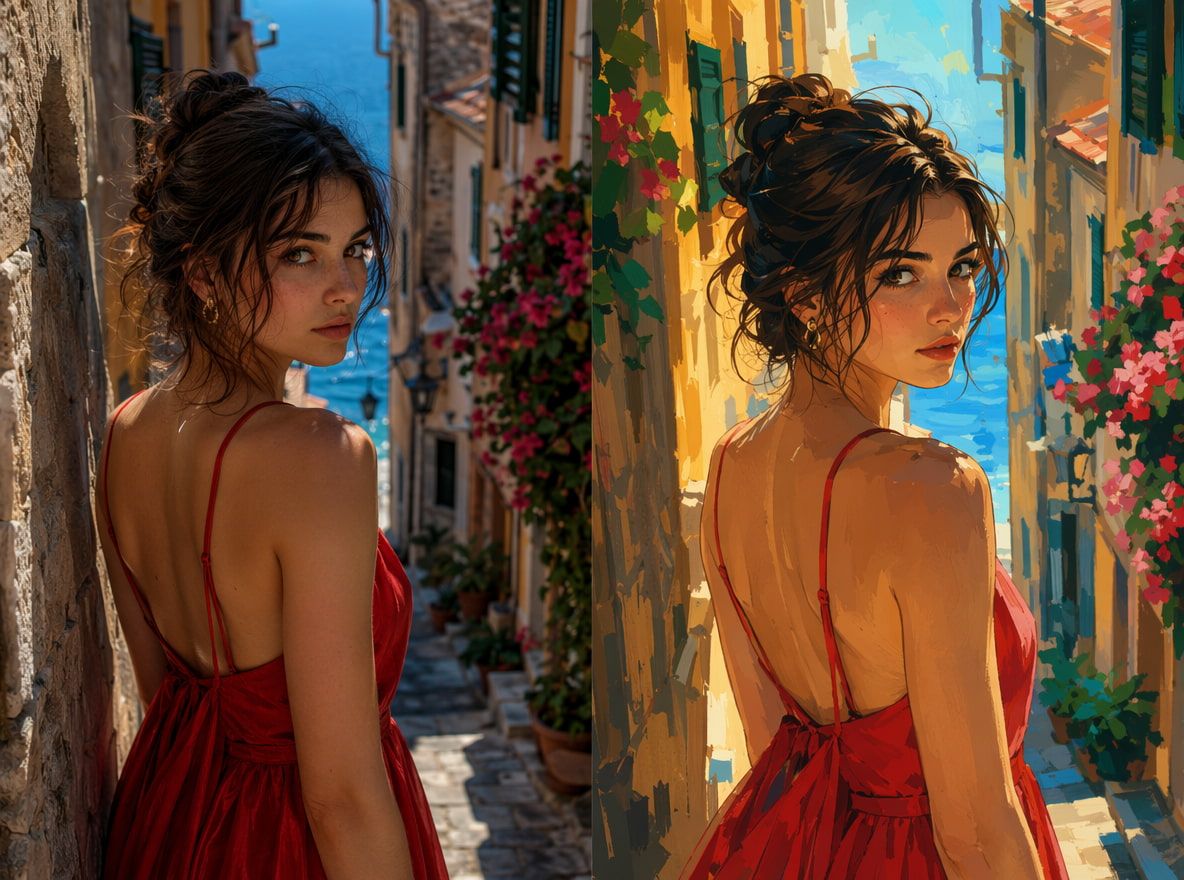
You have footage that works structurally, but the style is wrong. Style transfer video applies a new aesthetic — anime, cinematic, painterly — while keeping the timing intact.
On simple clips (slow pan, single subject, clean background), 3 of 4 runs produced usable output. The style read consistently; edge definition held.
On more complex clips — fast motion or overlapping subjects — visible artifacts appeared around high-contrast edges in every run. The model was reading motion it couldn't fully track. Stability in this category drops sharply past 6 seconds or past one motion axis.
Turning Live Action into Animation
Live action animation — converting real footage into a drawn or illustrated style — is where results split most clearly by input complexity.
Subject-forward shots (single person, static camera, clear background separation): 3 of 4 runs were usable. The style transformation was consistent and edge definition held through the full clip.
Complex shots (camera and subject moving simultaneously): 1 of 4 runs was usable. The subject's edge definition blurred into the background around the midpoint, then partially recovered — a pattern consistent with what iMerit's research on temporal drift describes as cross-frame alignment failure accumulating over longer sequences. The failure was predictable in location (always the back half) but not in severity.
Baseline for comparison: A static image run through image-to-video under equivalent prompt conditions produced stable output in 3–4 of 4 runs across the same style targets. Video-to-video on complex footage underperformed that baseline by roughly 2 runs per 4. That gap narrows significantly when the source clip is simplified.
Reusing Motion for New Scenes
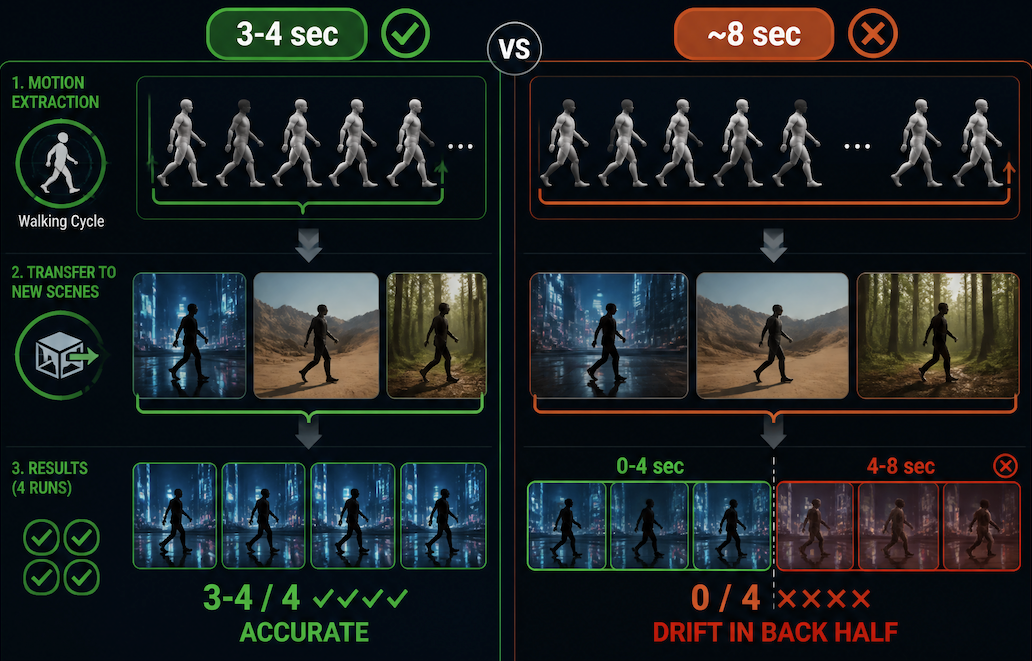
The underused case: extracting a motion pattern — a gesture, a walking cycle, a turn — and applying it to a different scene or character entirely.
Short loops (3–4 seconds): 3–4 of 4 runs held accurately. The model had limited temporal surface area to go wrong.
Clips approaching 8 seconds: drift became visible in the back half on every run, especially on cyclical motion (walking, repeated gestures) where small frame-to-frame errors compound over time. The front half remained usable; the back half consistently was not.
How to Plan a Video-to-Video Workflow
Prepare the Source Clip
Output quality is constrained by input quality. This is not a correction pass — the model can't fix structural problems in the source.
What worked consistently across tests: clips under 5 seconds, single-axis camera movement or none, and clear subject-to-background separation. Trim aggressively before submitting. Isolate only the motion you need.
Define Style and Motion Boundaries
Narrow style descriptions produced more consistent results than vague ones. "Anime style" outperformed "animated" across all four runs in the style transfer test — the more specific term gave the model less ambiguity to resolve, which showed up as fewer unintended visual decisions in the output.
For workflows where character identity needs to hold across multiple clips, Vidu's Multi-Reference Consistency feature is worth using — reference images give the model a concrete visual anchor rather than inferring identity from the source clip alone.
Check Artifacts and Identity Drift
After each generation, check two things specifically: edge artifacts along moving subjects (hands, hair, boundaries near background elements), and identity drift in the second half of the clip. In every test run, the first 3 seconds were cleaner than the back half. If the midpoint looks clean, watch the remaining frames carefully before deciding to keep the output.
Limits and Rights to Verify
Clip length is a real constraint, not a product limitation to route around. Stable outputs across all test categories were 4–6 seconds. These models are architecturally optimized for short-form generation — the arxiv video synthesis literature on temporal coherence explains why consistency degrades as clip length increases. Plan the workflow around this from the start rather than trimming failed long-form outputs afterward.
Complex motion multiplies failure probability. Each additional variable — a second subject, multi-axis camera movement, fast action — increases artifact likelihood. The test data above shows this clearly: simple clips hit 3/4 usable; complex clips dropped to 1/4 under identical generation conditions.
Source footage rights are your responsibility. The EU AI Act (enforced as of 2025) mandates disclosure for synthetic content that could be mistaken for authentic footage. Using footage of identifiable people for commercial output raises consent and likeness questions the AI tool itself cannot resolve. Verify the platform terms before using footage of other people, and confirm stock footage licenses cover AI transformation before submitting.