What Is Mobile Video?
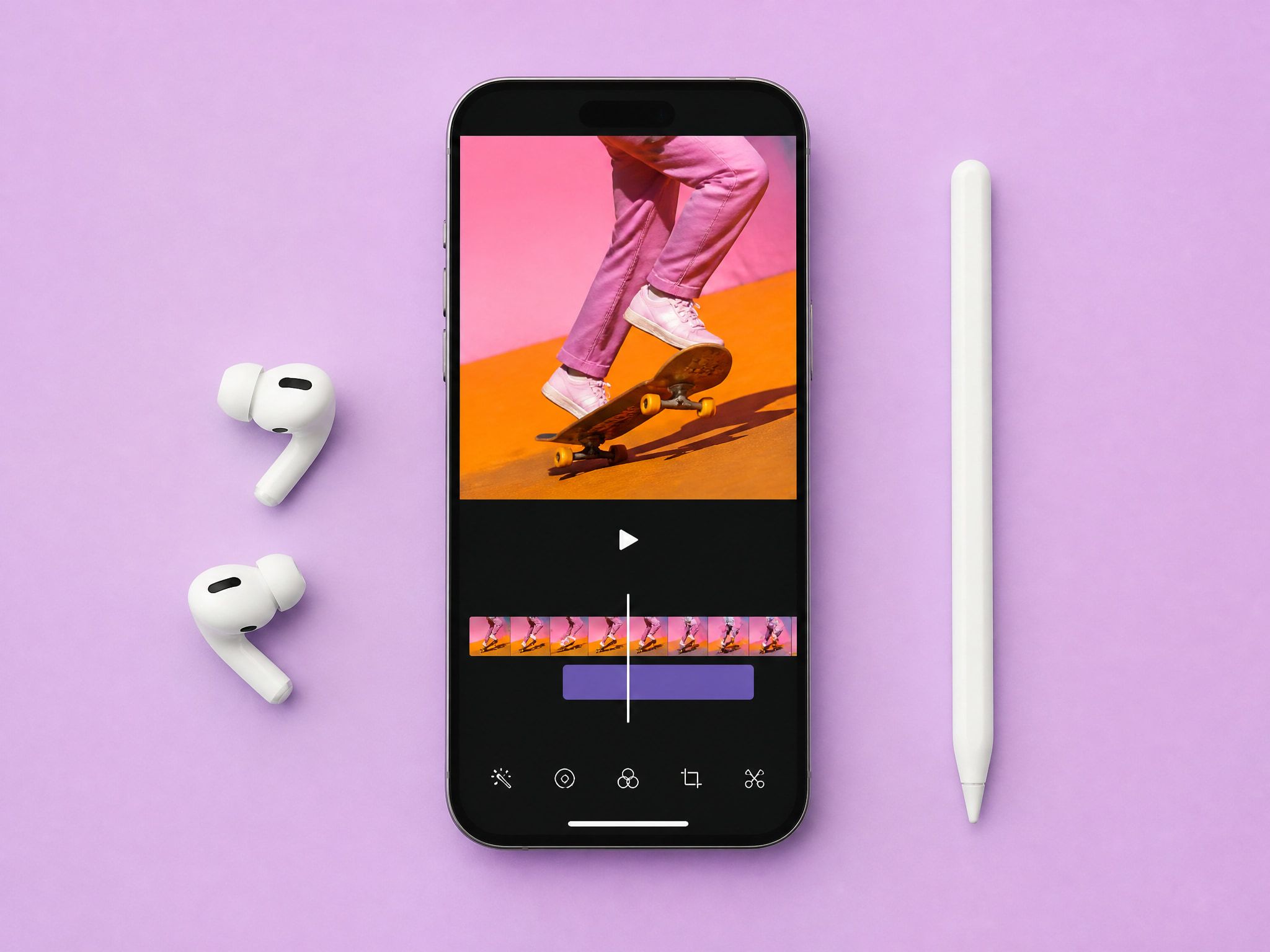
Mobile video is video consumed on a smartphone, designed around how people actually hold their phones — upright, one hand, thumb ready to scroll. That physical reality drives every format decision.
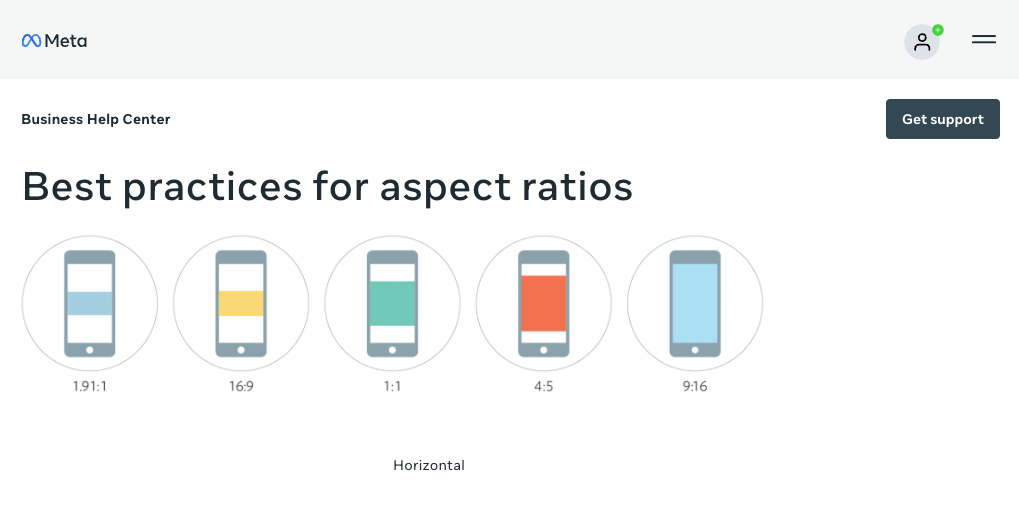
The dominant spec is 9:16 at 1080×1920 pixels. This is what TikTok, Instagram Reels, and YouTube Shorts expect natively. According to the 9:16 aspect ratio composition guide, vertical content fills 78% of screen space versus 26% for a landscape clip — the difference shows in watch time, not just aesthetics. When content doesn't match native specs, platforms letterbox or crop it, and neither outcome is neutral.
A 16:9 clip technically plays on a phone. It just doesn't fill the screen, and that gap costs attention.
Why Mobile-First Planning Matters
Most generation failure on phone screens is compositional, not technical. The clip renders fine. The subject ends up in a corner, key motion happens at the top edge where platform UI overlaps, or captions compete with the subject's face. None of that shows up during desktop preview.
Small-Screen Composition
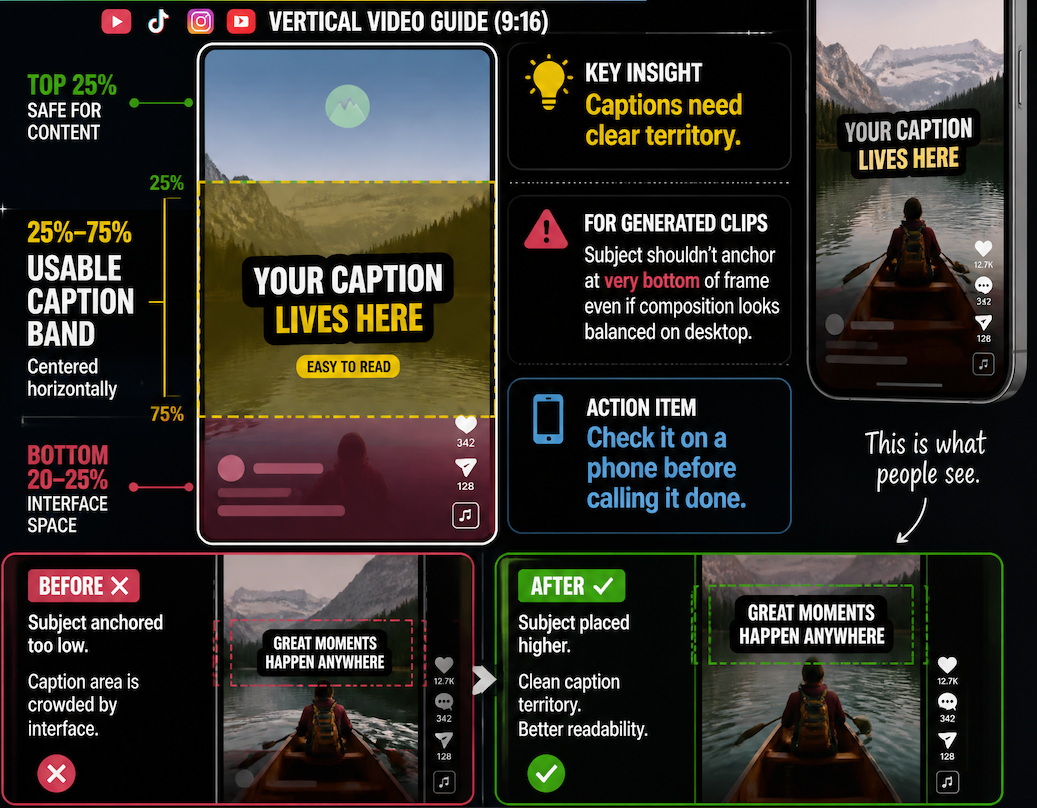
Vertical framing has its own rules. The subject needs to occupy the center third or upper-center of the frame. Side-heavy or bottom-heavy composition gets partially covered by platform interface elements — like and comment buttons, username overlays. On a 6-inch screen, that coverage is real.
In practice: if I'm generating a character-forward clip, I keep the reference image tightly centered and avoid describing lateral movement in the prompt unless I've tested that specific motion pattern. Lateral drift is the most common failure I see in AI-generated content for vertical feeds.
Caption Space
Captions need clear territory. The bottom 20–25% of a vertical frame is interface space on most platforms. The usable caption band runs roughly between 25% and 75% of screen height, centered horizontally. For generated clips, this means the subject shouldn't anchor at the very bottom of frame even if the composition looks balanced on desktop. Check it on a phone before calling it done.
Fast Visual Hooks
Platform behavior consistently shows that the first two to three seconds determine whether a viewer stays. In generated content, this means something visible and readable must happen immediately. A slow zoom into a static subject over three seconds doesn't qualify. In my testing, clips where meaningful motion started after the two-second mark lost usability for short-form feed placements even when the rest was technically clean.
AI Workflow for Mobile Video
The steps below reflect what I've landed on after running the same types of clips across multiple generation attempts and observing where composition breaks.
Choose Vertical Format
Set aspect ratio to 9:16 before generating. The default in most AI video tools — including Vidu's image-to-video interface — is 16:9. Generating in landscape and cropping to vertical loses 56–70% of the original image area and almost always shifts the subject off-center unpredictably.
Vidu supports 9:16 output natively. On paid plans, 1080p is available in vertical format — the standard export spec for TikTok and Reels. The free tier outputs at 720p, workable for testing but below platform recommendations for distribution.
One pattern I've found stable: generate a 5-second vertical test clip first, confirm composition holds on an actual phone screen, then generate longer versions from there. Short first run at correct aspect ratio saves time before committing to a full sequence.
Use Clear Subjects and Motion
AI video generation responds to subject clarity in the reference image. Blurry or cluttered reference images produce clips that look unstable — edges flicker, subjects shift between frames, background elements start moving when they shouldn't.
For phone-screen content, I prefer reference images where the subject fills at least 40% of the frame, faces are clearly lit, and the background is either clean or intentionally simple. Complex backgrounds generate additional motion that competes with the subject — distracting on a 6-inch display.
Motion amplitude is the other variable. On Vidu, the movement_amplitude parameter controls how much the model generates motion beyond the reference image's implied trajectory. "Auto" works reasonably for general clips. For phone-screen content where the subject needs to stay centered and readable, reducing amplitude one step from auto gives more stable results across repeated generations.
Test Readability on Phone Screens
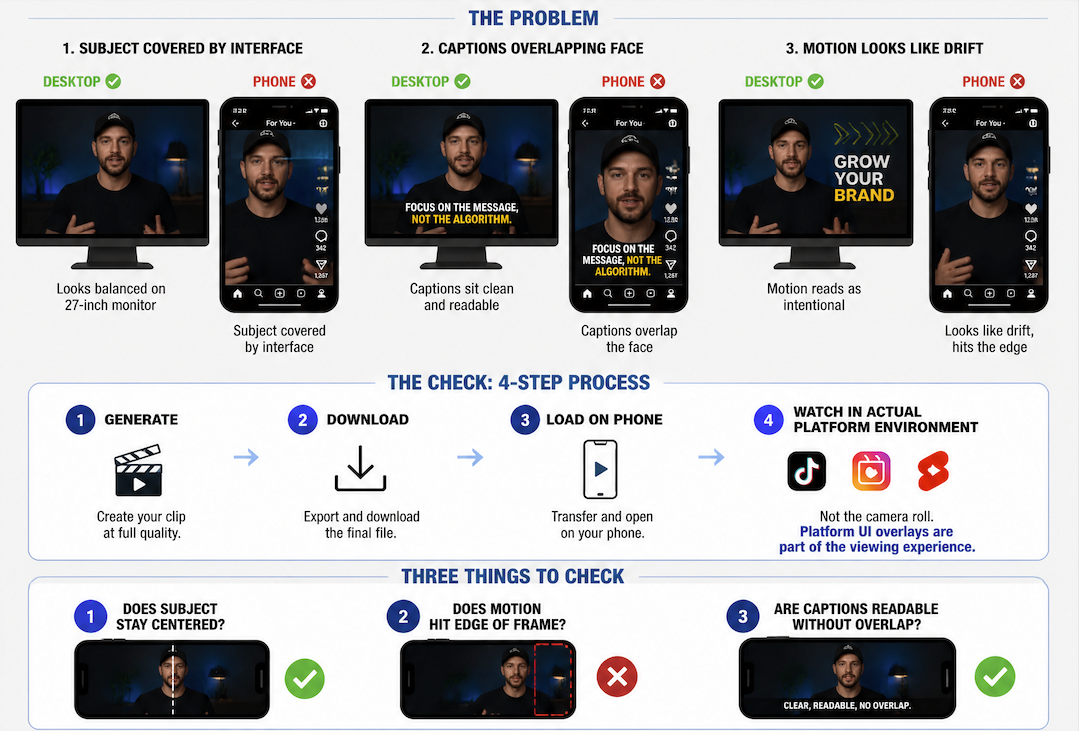
This step gets skipped constantly and it's where content dies. A clip that looks balanced on a 27-inch monitor can have the subject covered by interface elements on a phone, captions overlapping the face, or motion that reads as intentional on desktop but looks like drift on a small screen.
The check: generate, download, load on a phone, watch in the actual platform environment — not the camera roll. Platform UI overlays are part of the viewing experience. I look at three things specifically: does the subject stay centered, does motion hit the edge of the frame, are captions readable without overlap. If any of those fail, the clip doesn't go into the asset library.
Use Cases for Creators and Small Teams
Where this workflow holds up: short-form character clips for social feeds, product reveal clips where a still image needs to animate briefly, opening shots for longer pieces, and building a reusable clip library where the same character or product appears across multiple posts.
Where it breaks down: clips longer than eight to ten seconds tend to accumulate drift that's tolerable on desktop but conspicuous on small screens. Multi-character interactions are harder to stabilize in 9:16 — subjects positioned side-by-side can push composition in unpredictable directions.
Small marketing teams using Vidu's reference-to-video feature have a specific advantage: uploading consistent reference images across generations produces clips with recognizable subjects, which matters more for feed ad placements than for long-form content. A consistent product visual that animates cleanly in five seconds is more useful for social placement than a 15-second clip that varies between runs.
The usable range at the generation stage for phone-first content: 4–8 second clips, single primary subject, clear motion from frame one, vertical format set before generation, phone-screen QA before publishing.