What Motion Control Means in AI Video
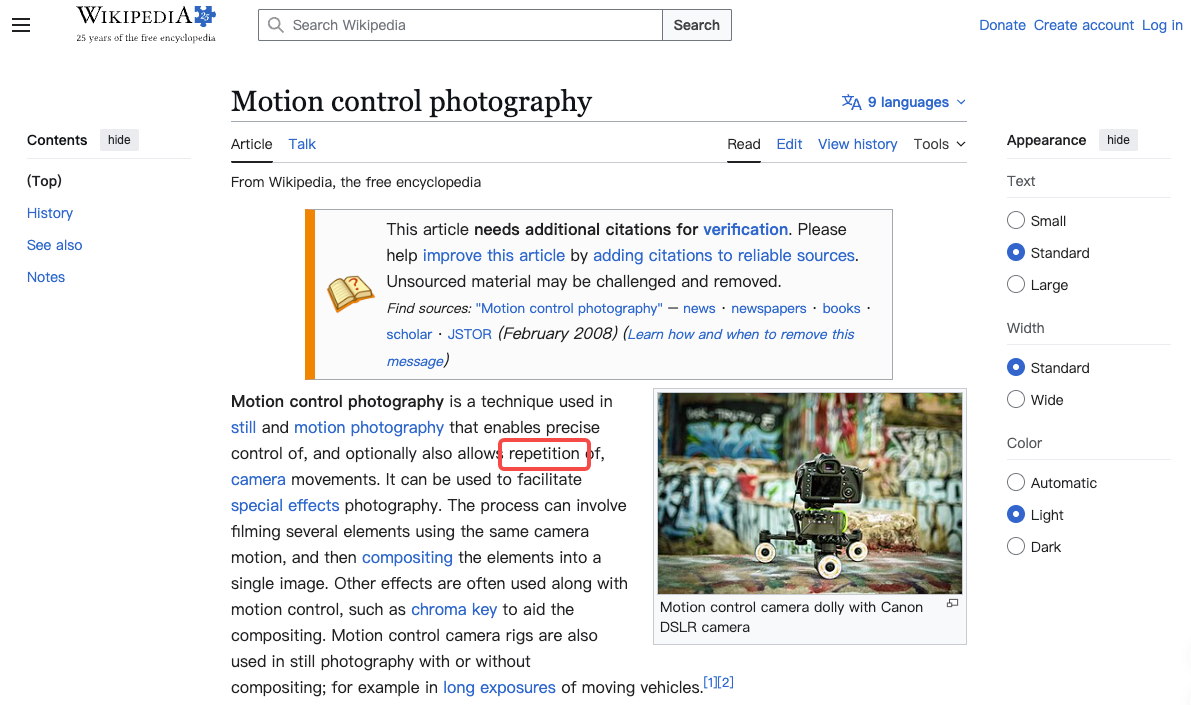
In traditional film, a motion control system refers to motorized camera rigs that execute precise, repeatable movements for VFX work. Same arc, same speed, same timing, every take.
That's not this.
In AI video, motion control is a prompting concept—the language you use to tell the model what moves, how it moves, and where the camera sits relative to all of it. There's no rig. There's a model making probabilistic choices based on what you gave it.
The drift, the jitter, the hands doing things you never asked for—that's mostly the model filling gaps you left open. It's not random. It's inference from ambiguous input. Getting motion control right means reducing that ambiguity, not chasing perfection.
Camera Motion vs Subject Motion
These are two separate variables. Treating them as one is where most prompts fall apart.
Pan, Tilt, Zoom, Dolly
Camera motion is how the viewpoint moves. Four moves cover most creator needs:
- Pan: rotates left or right on a fixed axis. The scene slides through frame.
- Tilt: rotates up or down. Useful for height reveals.
- Zoom: focal length changes—subject grows or shrinks without the camera moving.
- Dolly / push-in / pull-out: the whole camera moves toward or away from the subject.
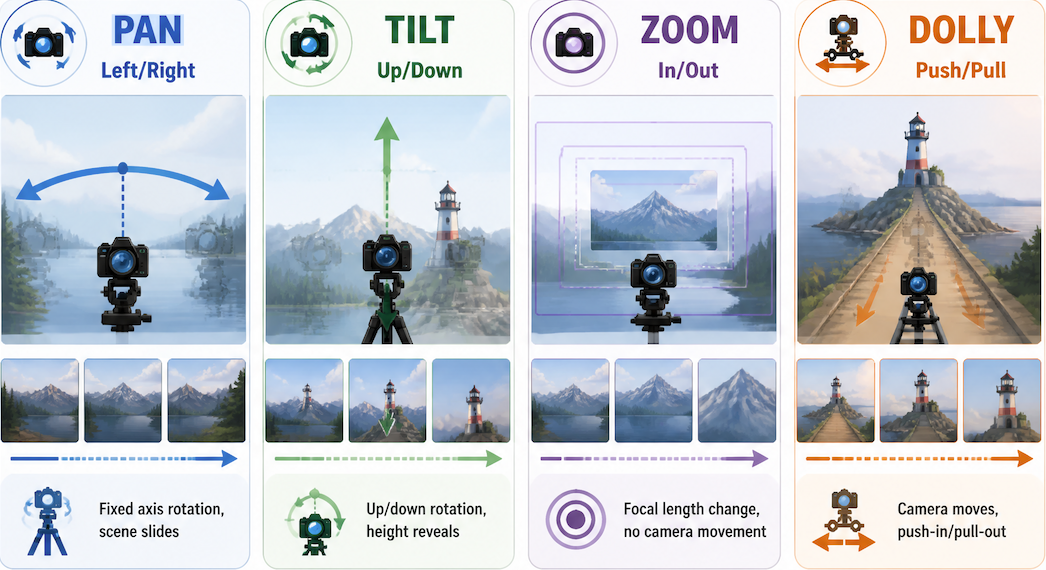
When you don't specify, the model picks. In five runs with an identical character prompt and no camera instruction, I got two static shots, one pan, one zoom, and something I still can't name. Specifying one ai camera motion—just one—reduced that variance to four out of five matching.
The pattern: directional + speed qualifier works better than direction alone. "Slow pan right" outperforms "pan right." The modifier gives the model a tighter constraint to work within.
Character and Object Movement
This is where over-specifying causes more problems than under-specifying.
"She walks forward, smiling, raising her right hand, glancing left, hair moving in wind"—the model tries to honor all of it. Something breaks. Usually the hands, or the hair-to-face relationship.
"She moves" gives the model too much latitude. It fills in an action. Interesting sometimes, useful rarely.
The stable range I keep landing in: one physical action, one optional qualifier. "She walks forward slowly" produces more consistent dynamic movement than "she strolls with slight hesitation." Same intent. Less ambiguity. Better output.
Direction and endpoint matter most. "He turns to face the camera" gives the model both. "He looks around" gives it neither—and you'll see that in the result.
How to Prompt Motion Clearly
CVPR 2025 research on motion prompting for video generation confirms what you learn from trial and error: text is weak at conveying motion subtlety. "Quickly turns head" gets interpreted differently every run. Prompting discipline fills the gap that trajectory-based tools would handle automatically.
Use One Dominant Movement
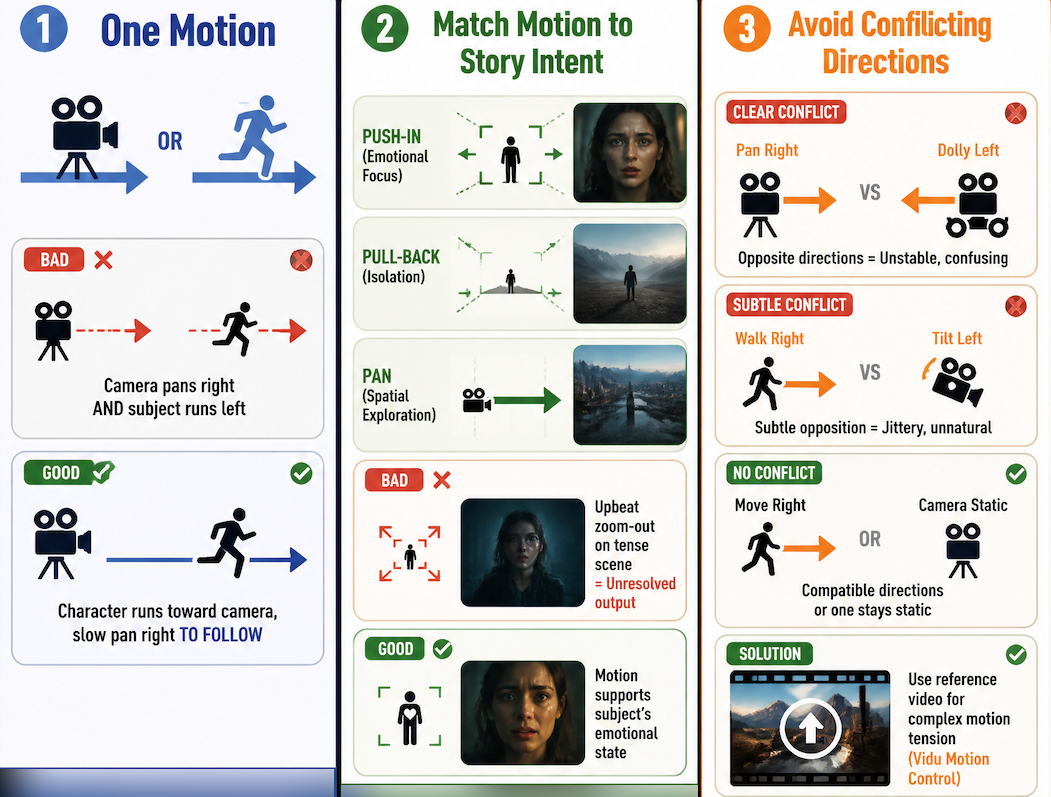
Camera or subject—pick one to drive the shot. Not both, unless you have a specific spatial reason.
"Slow pan right while character runs toward camera" introduces two motions with an implied relationship. If the model misreads that relationship, the pan lags or leads the run and the whole thing feels unresolved.
Test in isolation first. Run the camera motion alone. Run the subject motion alone. See what holds. Then if you need both, link them explicitly: "character runs toward camera, slow pan right to follow." That "to follow" makes it one motion plus a camera response—not two independent variables.
Match Motion to Story Intent
A push-in implies emotional focus. A pull-back implies isolation. A pan implies spatial exploration. When the camera motion contradicts the subject's state—upbeat zoom-out on a tense scene—the model can't reconcile it and the output looks unresolved.
I don't always catch this before generating. But after three versions where something feels "off" without obvious technical errors, it's usually a motion-intent mismatch.
Avoid Conflicting Directions
"Pan right while dolly left" is the easy example. But subtler conflicts appear too: "character walks right" with "camera tilts left" often resolves as jitter rather than composition.
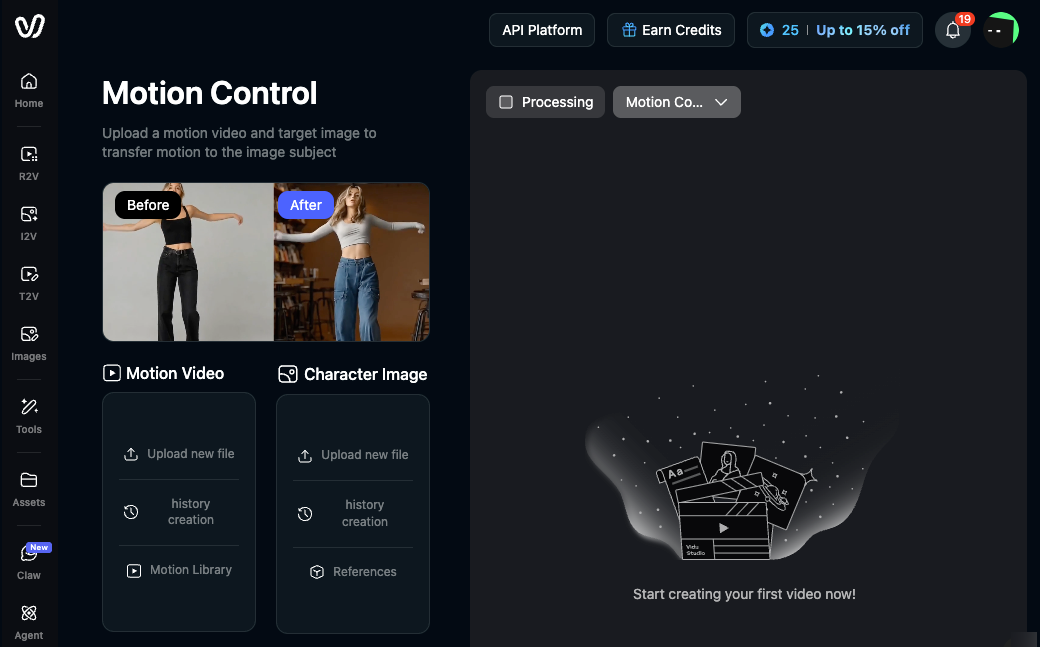
If you need genuine motion tension, use a reference. Vidu's motion control feature lets you upload a reference video to transfer a specific movement pattern—more precise than describing it in text, especially for camera paths that are hard to articulate.
For most short scenes: camera and subject move in compatible directions, or one stays static.
Motion Control Quality Checklist
Prompt:
- One dominant motion (camera or subject, not both without intent)
- Direction specified ("left," "toward camera") not just action ("moves")
- Speed qualifier included ("slow," "gradually," "quick")
- No conflicting directional cues
Setup:
- First/last frame images imply a compatible motion path
- Reference images loaded for character consistency
- Clip length matches complexity—2–4s for simple moves, 6–8s for longer arcs
Post-generation:
- Camera and subject motion read as distinct
- No uninstructed secondary motion disrupting the primary action
- Output works in its intended context