What Photo to Anime AI Free Tools Do
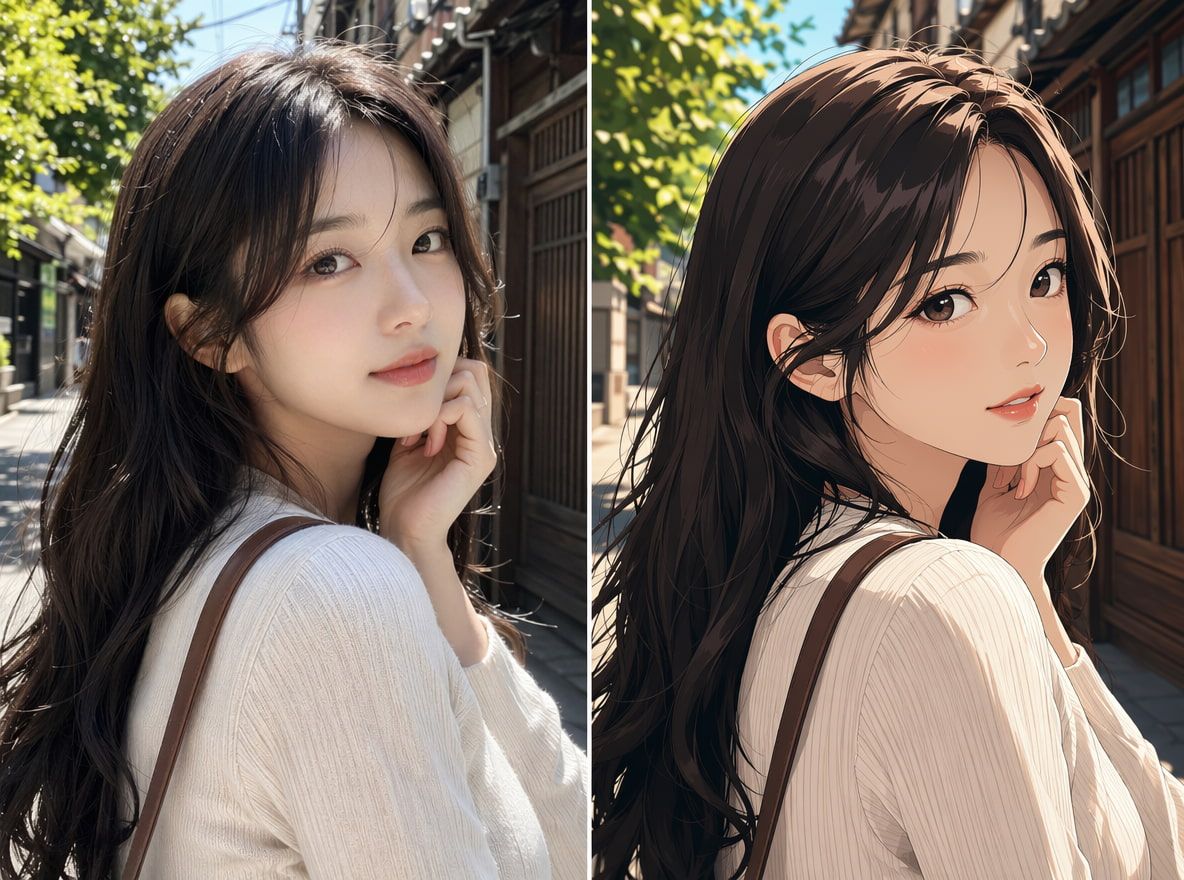
These tools take a photographic input — usually a portrait — and apply stylization that maps facial features into a flat, cel-shaded aesthetic. The output is a still image in anime style, not a video. That distinction matters more than most tutorials acknowledge.
A photo to anime AI free converter (like an anime AI art generator free tool or an anime AI image generator) transforms your photo at the static layer. It handles edge emphasis, color flattening, and stylized shading. What it doesn't handle: motion. Motion is a second generation step entirely.
The output quality varies more than the demos suggest. In my tests across three different tools:
- Portrait photos with clean, even lighting produced readable anime outputs in roughly 2 out of 4 runs
- Photos with complex backgrounds introduced drift — the stylization started pulling facial features toward the background palette
- High-contrast studio shots were the most stable starting material
Deviation starts appearing when there's too much information competing in the image. The model has to make choices about what to flatten and what to preserve. It doesn't always choose the face first.
Best Uses for Video Creators
The most useful application isn't "make an anime avatar of myself." It's narrower than that — and more valuable for production work.
Anime Avatar Concepts
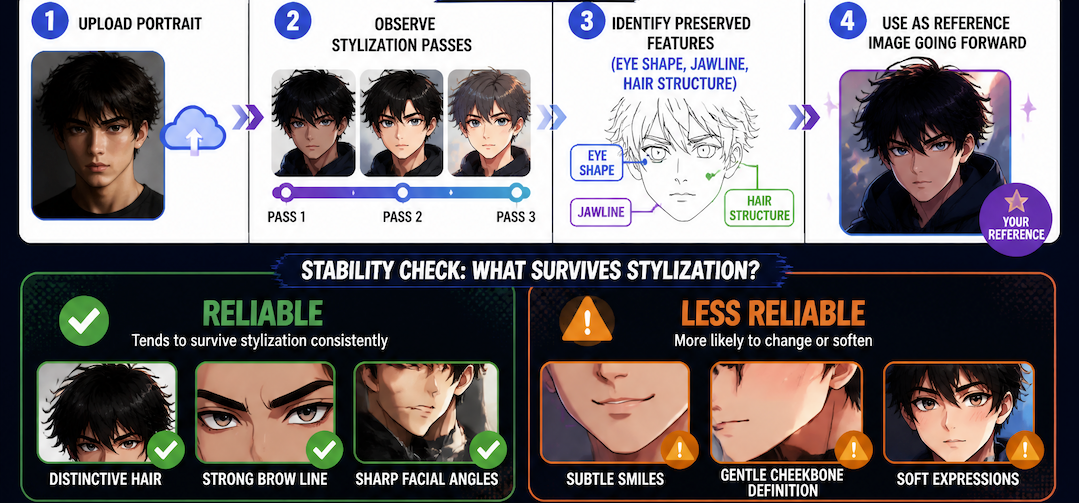
If you're building a recurring character for short-form content, an anime portrait AI conversion gives you a stylized starting reference. Not a final asset, but a direction. You upload the portrait, observe which stylization pass preserves the identifying features you want to keep (eye shape, jawline, hair structure), and use that as your reference image going forward.
Stability check from my runs: identity-preserving features (distinctive hair, strong brow line) survived conversion more reliably than soft features (subtle smiles, gentle cheekbone definition).
Character Reference Tests
Before you commit to animating, you want to know if the stylized image will hold up under motion. This is where a Consistent Character AI workflow — using a converted photo as a reference input rather than generating a new character from scratch — becomes useful.
The test is simple: convert the photo, import the anime-style output into Vidu's Reference to Video feature, and generate a short clip. What you're watching for is whether the face structure holds across the first 2–3 seconds. In my testing, it did — under the specific conditions I'll describe in the preparation section.
Stylized Social Clips
An AI animated photo workflow works for short social content when the clip is 5 seconds or under and the subject stays mostly static. Head turns and slow zoom-outs survived better than active gestures. Lip movement is where things broke down most consistently — I stopped trying to prompt for it after the third failed run.
How to Prepare a Photo for Anime Conversion
The conversion result is largely determined before you upload anything. Source photo quality sets the ceiling. Here's what I found after running the same workflow across different inputs:
Use Clean Lighting
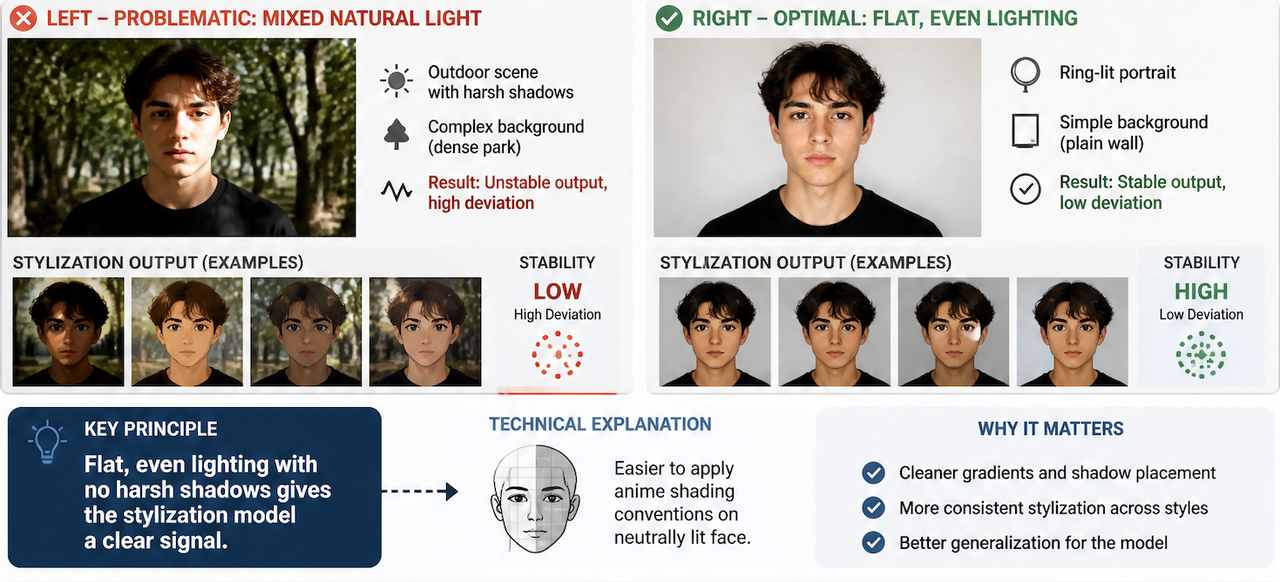
Flat, even lighting with no harsh shadows gives the stylization model a clear signal. It's easier to apply anime shading conventions on top of a neutrally lit face than to interpret mixed natural light. The output from a ring-lit portrait was noticeably more stable than the same person photographed outdoors. Background complexity dropped from a dense park scene to a plain wall — deviation decreased across the board.
Keep Identity Cues Clear
The features you most want preserved need to be unambiguous in the source photo. If distinctive hair color or style matters to your character concept, make sure it reads clearly — not obscured by shadow or motion blur. The model maps what it can see. It fills in what it can't with something stylistically plausible but not necessarily accurate to your subject.
Test Motion After Conversion
This is the step most workflows skip. Once you have the anime-style output, run a quick motion test before treating it as a usable reference. Upload it to Vidu's style transfer tool, write a minimal motion prompt (slow head turn, subtle ambient motion), and observe the first 3 seconds.
If identity starts drifting in that test clip — the eye shape shifts, the face proportions change — the converted image isn't stable enough for production use. Go back to the source photo and try a different conversion pass or input.
Limits, Rights, and Consistency Checks
A few things worth being clear about before you build a workflow around this:
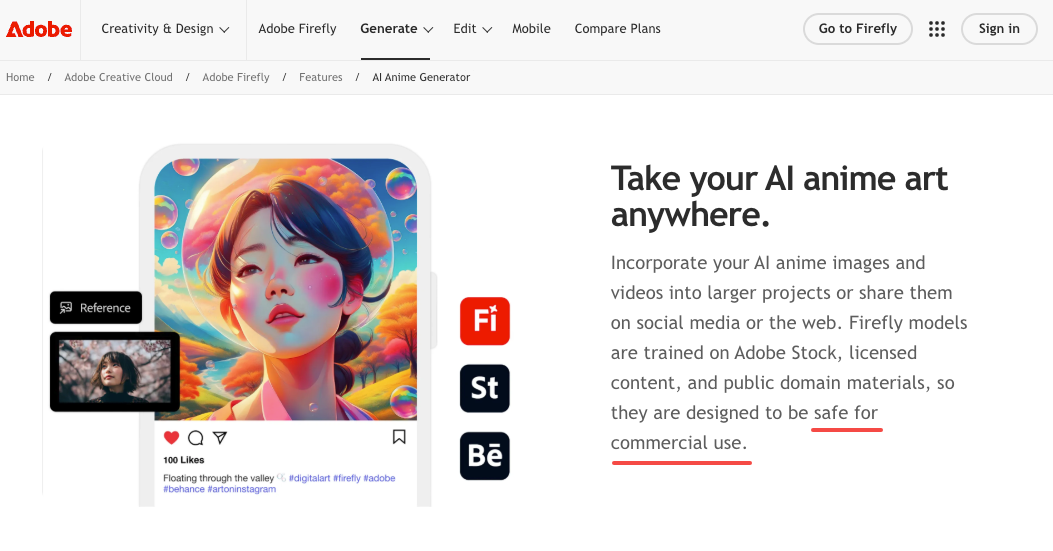
The commercial rights question is unsettled. Most free-tier anime conversion tools do not grant commercial rights. The US Copyright Office's AI copyrightability guidance is explicit that works generated entirely by AI without substantial human creative input are not copyrightable — which means you may not own exclusive rights to the output. If you're using converted anime images in any paid or client-facing work, you need to check the specific platform's terms of service, not assume the output is commercially safe. Platform-specific AI commercial licensing policies vary significantly and change faster than most documentation suggests.
Real people require consent. Stylizing a photo of yourself is straightforward. Stylizing a photo of someone else — even for non-commercial, creative use — enters territory governed by right of publicity law. The stylization doesn't change the underlying identity; it just renders it differently. Use only photos you have rights to convert.
Consistency degrades over time. If you're building a character for an ongoing series, a single converted photo won't stay stable across many generations. Each new clip introduces variation. The most reliable approach I found: convert once, use that output as a locked reference image across all subsequent generations rather than re-converting from the source photo each time.
Free tools often add watermarks. Which breaks your output for production use immediately. Check before you start building around a specific tool.